

Wireless vs Wired Home Theater Audio Reliability
Table of Contents
- Wireless vs Wired Home Theater Audio: Core Differences
- Signal Stability and Reliability
- Wired vs Wireless Surround Sound Performance
- Wireless Speaker Audio Latency and Synchronization
- Wi-Fi Interference With Wireless Speakers
- How to Reduce Bluetooth Audio Lag in Your System
- Installation, Flexibility, and Long-Term Maintenance
- Which Setup Should You Choose?
- Frequently Asked Questions
Last Updated: October 12, 2026
Wireless vs Wired Home Theater Audio: Core Differences
When you're building a home theater system, understanding wireless vs wired home theater audio reliability shapes your installation timeline, flexibility, long-term performance, and sound quality.

At JoeMo Promo, we've helped customers build both kinds of systems, and neither is universally "better." Wired audio gives you rock-solid reliability and zero latency. Wireless audio gives you installation freedom and a cleaner-looking room.
In a wired system, audio travels through copper or fiber at the speed of electricity. In a wireless system, audio gets compressed, transmitted as radio waves, received, decompressed, and played, all in milliseconds. That compression and decompression introduces latency, or delay.
Wired systems also don't battle interference. Your neighbor's Wi-Fi router, a cordless phone, or a microwave won't disrupt a speaker cable. Wireless systems share radio spectrum with dozens of other devices, creating the possibility of dropouts or degraded sound quality when the airwaves get crowded.
But wired systems demand planning. You need to run cables through walls, across ceilings, or along baseboards before you can move a speaker. Wireless systems let you place a speaker anywhere in range and move it whenever you like.
Signal Stability and Reliability
When evaluating wireless vs wired home theater audio reliability, it comes down to signal transmission. Wired connections offer absolute stability because the signal path is fixed and physical: once a cable is installed, it doesn't degrade, doesn't get interrupted, and doesn't compete for bandwidth. That consistency is why professional studios and concert venues use wired audio exclusively.
Wireless systems depend on signal strength, which varies. Distance weakens the signal, walls and metal objects block or reflect radio waves, and other devices on the same frequency create interference. A Bluetooth speaker that works perfectly 10 feet from your receiver might drop out at 25 feet, especially with a wall between them.
In practice, most home theater rooms see reliable wireless performance within 30-40 feet of the receiver, avoiding metal cabinets and thick concrete walls. But "most of the time" isn't "always." Wired systems never have this problem: a rear surround on a 50-foot cable works as reliably as one on a 5-foot cable.
For surround speakers, the side and rear channels that create immersion, reliability matters. If a rear speaker cuts out during a movie, the immersion breaks and you notice immediately. The Yamaha YHT-4950U 5.1 Home Theater System delivers consistent surround presence across any room size.

Wired vs Wireless Surround Sound Performance
Surround sound places speakers in specific locations: a center channel for dialogue, left and right fronts for stereo imaging, and rear or side surrounds to wrap sound around the listener. The surround field's quality depends on every speaker performing when called upon.
Wired surround systems guarantee that all speakers play together. When an explosion happens on screen, the sound travels through the center channel, the front left and right, and the rears simultaneously. No delay, no dropouts.
Wireless surround systems introduce latency. The signal takes time to travel, get processed, and play. If your fronts are wired and your rears wireless, the fronts may respond to an explosion a fraction of a second before the rears, breaking the illusion.
The iLive Cinema Series 5.1 Speaker System offers Bluetooth streaming for wireless convenience. This works well if you're primarily streaming music and want flexibility, but it's a compromise for serious home theater, where surround timing matters.

Some wireless systems claim to solve latency with "aptX" codecs or proprietary protocols that compress audio more efficiently. These help but don't eliminate the delay: 50-100 milliseconds is typical for good wireless systems, below the threshold most people consciously notice, but still there.
Wireless Speaker Audio Latency and Synchronization
Latency, the delay between when audio is sent and when it's played, is the biggest challenge for wireless home theater. Audio is compressed for transmission, sent as radio waves, received, decompressed, and played.
For home theater, synchronization between picture and sound matters. If you see an actor's lips move but hear the dialogue 100 milliseconds later, your brain detects the mismatch. Professional standards allow up to 40 milliseconds of lip-sync error before most viewers notice, and wireless systems often exceed that.
Bluetooth audio, which powers many affordable wireless speakers, typically has latency between 100-200 milliseconds, noticeable in home theater. Wi-Fi-based wireless systems can achieve 50-100 milliseconds, better but still not zero, while proprietary wireless protocols used by high-end manufacturers sometimes get down to 20-40 milliseconds, which is acceptable.
The Supersonic Bold 5.1 Surround System delivers wired connections for all speakers, eliminating latency entirely. If you're sensitive to lip-sync issues or you watch a lot of dialogue-heavy content, wired is the safer choice.
Some receivers and wireless speakers include "lip-sync delay" adjustments that let you manually add latency to video to match audio. This works, but it's a workaround, not a solution. You're essentially slowing down the picture to match a slow audio signal.
Wi-Fi Interference With Wireless Speakers
Your home's wireless ecosystem is crowded: Wi-Fi routers, smart home devices, cordless phones, and your neighbors' networks all broadcast on the 2.4 GHz band. Wireless speakers using this frequency must share it with everyone else.
Interference manifests as dropouts, crackling, or degraded sound quality. If someone starts a large download on your Wi-Fi, audio might stutter. If a microwave runs, the 2.4 GHz band gets noisy and your speaker might briefly lose connection. These interruptions last a second or two but are noticeable and annoying.
The 5 GHz Wi-Fi band is less crowded, which is why some wireless speakers use it. But 5 GHz has shorter range and worse wall penetration. A speaker placed in a back bedroom might lose signal if it's too far from your router or if walls block the path.
Bluetooth operates on the 2.4 GHz band too, so it faces the same interference challenges. Its advantage is frequency hopping: it constantly switches channels within the band to avoid interference, making it more resilient than basic Wi-Fi, but not immune.
iLive 5.1 Surround Sound System →
Wired systems don't experience any of this. A speaker cable doesn't care about Wi-Fi congestion, microwaves, or your neighbor's network. It's immune to interference by design.
How to Reduce Bluetooth Audio Lag in Your System
If you've committed to wireless audio and notice latency, several adjustments can help. None eliminate the problem, but they can reduce it enough to make home theater acceptable.
First, check your Bluetooth codec. Standard Bluetooth uses SBC, which has high latency; aptX and aptX HD have lower latency, and LDAC, used by Sony devices, lower still.
Second, reduce the distance between your receiver and wireless speakers. Latency increases slightly over longer distances because the signal takes longer to travel and the device works harder to maintain connection. Keep speakers within 20-30 feet.
Third, minimize other wireless traffic. Turn off Wi-Fi on unused devices and disable Bluetooth on phones and tablets in the room. This reduces competition for radio spectrum and gives your audio signal more bandwidth.
Fourth, adjust your receiver's audio delay settings if available. Many modern receivers include a "lip-sync delay" or "audio delay" adjustment, letting you manually add latency to video to match audio. It's not elegant, but it works.
Fifth, consider a wired solution for your main surrounds if wireless latency is a problem.
The iLive 5.1 Surround Sound System includes Bluetooth connectivity. If you're experiencing lag, moving to a wired configuration for at least your surround speakers will solve it completely.
Installation, Flexibility, and Long-Term Maintenance
Wired systems demand upfront planning and effort. You run speaker cables from your receiver to each speaker location, using long cables for distant speakers and running them through walls or conduits to hide them. This takes time and sometimes professional help.
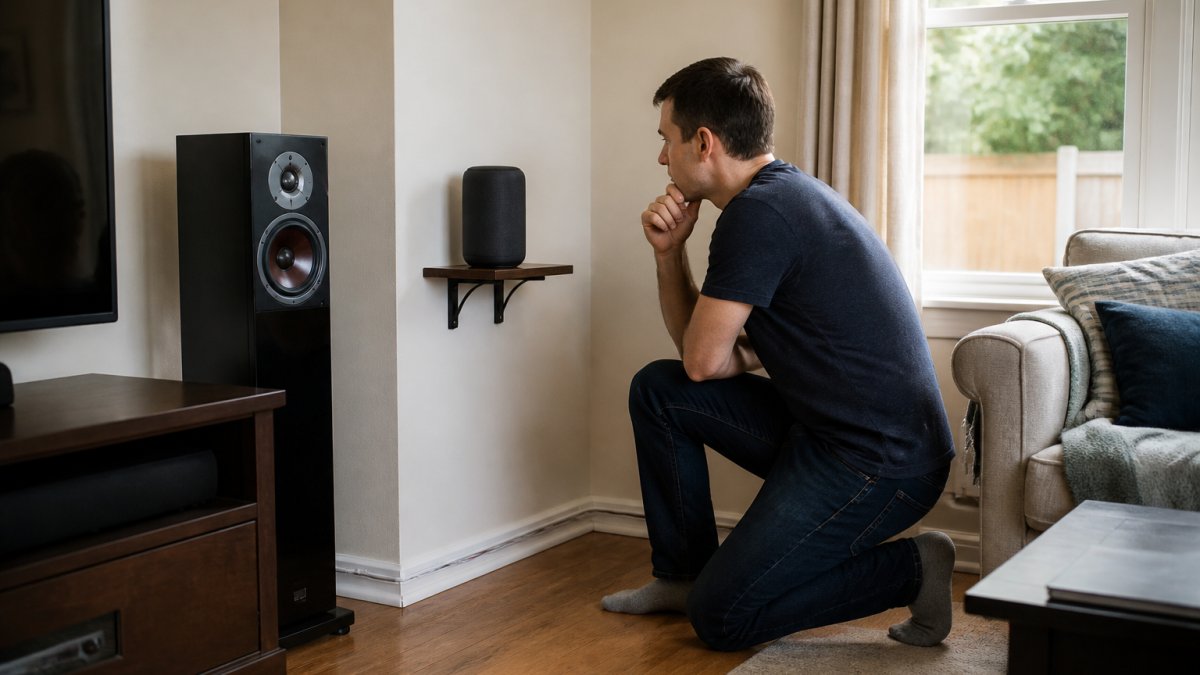
Wireless systems offer the opposite trade-off. Installation is fast: unbox the speaker, power it on, pair it with your receiver, and place it. No cables, no planning, no hidden infrastructure.
For renters or anyone who changes room layouts frequently, wireless is clearly better. You can move a wireless speaker in seconds. Moving a wired speaker means disconnecting cables, running new cables to the new location, and possibly patching walls.
Flexibility also matters for upgrades: adding a second subwoofer to a wired system means running a cable to it, while adding a wireless speaker just means placing and pairing it. Wireless systems scale more easily.
Power is another consideration. Wired speakers can be passive (powered by the receiver) or active (powered by their own amplifier).
Which Setup Should You Choose?
The answer depends on what matters most to you. Choose wired audio if you prioritize absolute reliability, zero latency, and a set-it-and-forget-it system. Wired surround systems never drop out, never experience interference, and never need firmware updates.
Choose wireless audio if you value installation ease, room flexibility, and a clutter-free aesthetic. Wireless systems let you experiment with speaker placement, move speakers between rooms, and avoid cable runs through walls.
Consider a hybrid approach if you want the best of both worlds: wired front and center channels with wireless surround speakers, or vice versa. This gives you synchronized dialogue and effects where they matter most while keeping rear surrounds flexible.
| Consideration | Wired Audio | Wireless Audio |
|---|---|---|
| Reliability | Unconditional; never drops out | Good in typical conditions; vulnerable to interference |
| Latency | Zero; perfect for home theater | 40-150ms; noticeable in some cases |
| Installation | Time-consuming; requires planning | Fast; minimal setup |
| Flexibility | Requires cable runs to move speakers | Move speakers instantly |
| Maintenance | None; cables don't degrade | Firmware updates; battery replacement |
| Interference Risk | None | Moderate; depends on environment |
| Power Requirements | Receiver powers passive speakers | Every speaker needs its own power |
| Best For | Dedicated home theaters; serious enthusiasts | Renters; frequent layout changes; casual use |
For most home theater rooms, wired rear surrounds with wireless flexibility elsewhere offers the practical sweet spot. You get reliable immersion where it matters, the surround field, while keeping your setup adaptable.
Building a home theater that delivers real cinematic immersion requires thoughtful choices about how audio reaches your ears. Whether you choose wired reliability or wireless flexibility, JoeMo Promo's curated selection makes the decision simpler. The Yamaha YHT-4950U 5.1 Home Theater System delivers 400W of total output power across 5.1 channels.
Frequently Asked Questions
Is wired or wireless audio more reliable for a home theater?
Wired audio is generally more reliable because it eliminates interference and signal dropouts. Wireless systems depend on Bluetooth or Wi-Fi connectivity, which can be affected by obstacles, network congestion, and physical distance. However, modern wireless protocols have improved significantly. The choice depends on your room layout and tolerance for occasional connectivity issues. Wired systems require cable management but guarantee consistent signal transmission once installed.
What causes audio dropouts in wireless home theater speakers?
Dropouts occur when wireless signals are interrupted by physical obstacles, interference from other devices, or network congestion. Walls, metal objects, and microwave ovens can block Bluetooth signals. Wi-Fi networks shared with multiple devices may also degrade audio. Weak battery levels and distance from the transmitter contribute as well. Reducing interference sources, repositioning speakers closer to the receiver, and using 5GHz Wi-Fi bands can minimize dropouts significantly.
Can you mix wired and wireless speakers in a home theater?
Yes, hybrid setups are common and practical. You can run wired surround speakers for reliability and stability while using wireless front or rear speakers for flexibility. This approach combines the best of both: dependable sound where it matters most and freedom from cable clutter in other areas. Many home theater owners choose wired connections for center and main channels, then add wireless rear speakers for convenience and easier room reconfiguration.
How can I make wireless home theater audio more reliable?
Position your wireless receiver centrally and within line of sight of speakers. Use a 5GHz Wi-Fi network separate from your main network to reduce interference. Keep wireless devices at least 6 feet from microwave ovens and cordless phones. Ensure adequate power supply to all wireless components. Minimize physical obstacles between transmitter and speakers. Update firmware regularly and choose Bluetooth 5.0 or newer systems for improved range and stability. Consider wired connections for critical channels like your center speaker.






















