

Is Professional Projector Installation Worth the Cost?
Table of Contents
- What Professional Projector Installation Includes
- Projector Installation Cost Breakdown
- DIY Projector Installation vs. Professional Service
- Projector Ceiling Mount Installation: When to Hire Help
- Projector Setup and Calibration: Getting Image Quality Right
- The Real Value: Time, Warranty, and Peace of Mind
- Making Your Decision: A Practical Framework
- Frequently Asked Questions
Last Updated: October 14, 2026
What Professional Projector Installation Includes
Understanding the professional projector installation cost is important because professional projector installation is more than just mounting a projector to a ceiling. It's a complete service that handles everything from initial site assessment to final image calibration. The installer evaluates your room's dimensions, ceiling type, electrical access, and ambient light conditions before recommending placement. They then handle the physical mounting, run wiring through walls or conduits, set up any motorized screens you've chosen, and connect audio equipment for a fully integrated system.
The scope typically includes these core tasks: assessing throw distance to determine projector placement and screen size, installing ceiling mounts or wall brackets rated for your projector's weight, routing cables safely out of sight, setting up power access, aligning the image with keystone correction and focus adjustments, and testing the entire system with your streaming devices or cable box. Professional installers also calibrate color and brightness settings to match your room's lighting conditions, ensuring you get the sharpest, most vibrant image possible.
What sets professional installation apart is the problem-solving. If your ceiling is suspended drywall, the installer knows how to reinforce it properly. If your projector's throw distance doesn't match your room layout, they can recommend repositioning or a different projector model. They handle complications that DIY attempts often stumble on, like running cables through existing walls without damaging them, or dealing with electrical codes that require a licensed electrician for certain work.
Projector Installation Cost Breakdown
The total cost of professional installation typically falls into four categories: the projector itself, the screen, labor, and miscellaneous hardware. Understanding each piece helps you decide whether professional installation makes financial sense for your situation.
The projector represents your largest single expense. JoeMo Promo's projectors range from $499.99 for the Karnstar Outdoor Cinema Projector with an included 200" screen, up to $559.99 for the CAIWEI Halo 300 Ultra-Bright Projector with 10,000 lumens. The Nova 300 Smart Home Theater Projector sits at $529.99 and includes automatic focus and keystone correction, which reduce setup complexity.

The professional projector installation cost for labor varies by complexity but typically ranges depending on how much wiring is needed, ceiling type, and whether electrical work is involved. A straightforward wall mount in a finished room costs less than a ceiling installation in a room with suspended drywall or difficult access. If your room requires new electrical circuits or outlets, that adds to electrical labor.
Hardware and accessories, mounting brackets, cables, conduit, screen frames, and fasteners, usually run. A motorized projection screen adds depending on size and quality. If you're building a complete home theater setup with surround sound, wireless speakers from JoeMo Promo's collection add to the total, though wireless connectivity keeps installation simpler than traditional wired audio.
The complete picture: a mid-range professional installation with a quality projector, motorized screen, and basic audio setup typically costs. High-end installations with premium screens, full surround sound, and complex wiring can exceed.
DIY Projector Installation vs. Professional Service
The decision between DIY and professional installation hinges on three factors: your technical comfort, your room's complexity, and the value of your time.
DIY installation works well if your room is straightforward, you're mounting to a solid ceiling, running cables through existing conduits or along baseboards, and keeping the setup simple. The tools required are basic: a drill, stud finder, level, and a ladder. JoeMo Promo's projectors with automatic focus and keystone correction remove much of the calibration guesswork, making setup faster and more forgiving. If you're comfortable with basic home improvement tasks and your room doesn't require electrical work, DIY can save you in labor.
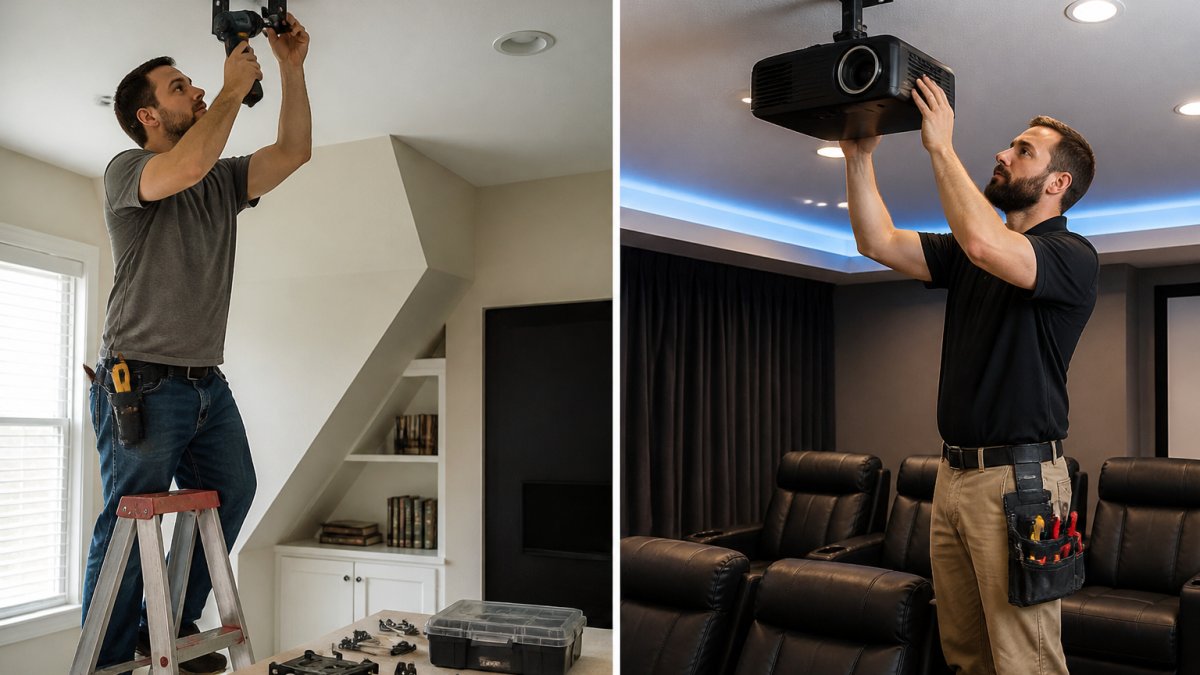
The catch: DIY installations often miss optimization opportunities. You might mount the projector at the wrong angle, overshooting your screen size or creating keystoning issues that reduce image quality. Running cables poorly can create fire hazards or damage your walls. If your ceiling is suspended drywall, mounting a heavy projector without proper reinforcement can crack it. These mistakes are expensive to fix after the fact.
Professional installation makes sense if your room has any of these characteristics: suspended or textured ceilings, walls you don't want to drill into, existing wiring you're unsure about, or a need for electrical work. If you're installing a motorized screen, professional setup ensures smooth operation and proper alignment with the projector. The installer's experience means they'll catch issues you'd miss and deliver an image that's properly calibrated to your room's lighting.
Here's the honest reality: a professional installer will deliver better image quality and a cleaner final result. They'll save you troubleshooting time and protect your walls and ceiling. But if your room is simple and you're handy, DIY is viable and saves real money.
| Aspect | DIY Installation | Professional Installation |
|---|---|---|
| Labor cost | $0 | $500-$2,000 |
| Time investment | 8-16 hours | 2-4 hours |
| Image quality risk | High (alignment, calibration) | Low (expert calibration) |
| Warranty impact | May void projector warranty | Usually maintains warranty |
| Best for | Simple rooms, confident DIYers | Complex rooms, optimal results |
Projector Ceiling Mount Installation: When to Hire Help
Ceiling mounting is the most common professional installation request because it's where most DIY attempts fail. The decision to hire help depends on your ceiling type and the projector's weight.
If you have a solid plaster or drywall ceiling with wooden joists, you can mount most projectors yourself. Find the joists with a stud finder, drill pilot holes, and install lag bolts rated for your projector's weight. The Nova 300 Smart Home Theater Projector and CAIWEI Halo 300 are both relatively lightweight, making them manageable for a solid ceiling. Use a mounting bracket rated for at least 1.5 times the projector's weight.

Suspended ceilings are a different story. These drop ceilings cannot safely support a projector's weight without reinforcement. A professional installer will add steel support bars that bridge the joists above, transferring the projector's weight to the structural frame. Attempting this without proper knowledge risks the ceiling collapsing. Hire a professional for suspended ceiling installations.
Textured or popcorn ceilings present another challenge. The texture crumbles when you drill into it, and the underlying structure is often unpredictable. Professionals know how to navigate textured ceilings without creating damage that requires patching and repainting.
The real issue with ceiling mounting is that mistakes are visible and expensive to correct. A misaligned mount creates a crooked image that's distracting in a dark room. A bracket installed into drywall without joists will fail. A poorly sealed hole becomes a dust trap. These problems compound when combined with image alignment issues.
Projector Setup and Calibration: Getting Image Quality Right
Setup and calibration separate a mediocre home theater from an excellent one. This is where professional installation delivers the most tangible value.
Throw distance is the distance from the projector to the screen. It determines your screen size and image brightness. A projector positioned too close to the wall creates a small image; too far back wastes ceiling space and reduces brightness. Professional installers calculate throw distance before mounting, ensuring your projector and screen are properly matched. JoeMo Promo's projectors include automatic focus and keystone correction, which handle some of this work automatically, but optimal placement still requires planning.
Nova 300 Smart Home Theater Projector →
Image alignment involves adjusting the projector's angle so the image fills the screen squarely without distortion. Keystone correction fixes tilted images, but it reduces brightness and resolution. A properly mounted projector needs minimal keystone adjustment. Professionals use levels and measurement tools to get this right the first time.
Color and brightness calibration is where expertise shows. Your room's ambient light, wall color, and ceiling reflectivity all affect how the image looks. A professional calibrates the projector's color temperature, brightness, and contrast to match your specific room. They'll also adjust settings for different content types, movies need different calibration than sports or gaming. This level of tuning is rarely attempted in DIY installations, leaving performance on the table.
Testing is the final step. The installer runs through multiple sources, streaming apps, cable boxes, gaming consoles, to verify everything works correctly. They'll test wireless speaker connectivity if you've chosen that route, ensuring audio syncs with video and volumes are balanced.
The Real Value: Time, Warranty, and Peace of Mind
The financial argument for professional installation extends beyond labor costs. Consider time, warranty protection, and the risk of costly mistakes.
Time is real money. A professional completes installation in a few hours. A DIY project takes a weekend or more, plus research time to avoid mistakes. If your time is worth anything, and for most people, it is, professional installation pays for itself quickly.
Warranty protection matters. Check your projector's warranty terms before deciding to DIY.
The cost of mistakes is significant. A poorly mounted projector that falls costs thousands to replace and potentially causes injury. Drilling into electrical wiring or plumbing adds thousands in repair costs. Damaging your ceiling or walls requires contractor visits and repainting. A single mistake often costs more than professional installation would have.
Peace of mind has real value too. You know the system is installed correctly, safely, and optimally. You're not wondering if the mounting is secure or if the image quality could be better. You can enjoy your home theater instead of worrying about it.
Making Your Decision: A Practical Framework
Use this framework to decide whether professional installation is worth the cost for your specific situation.
Start with room complexity. Is your ceiling solid drywall with accessible joists? Are your walls finished and cable-ready? Is electrical access straightforward? If you answered yes to all three, DIY is lower-risk. If you answered no to any of them, professional installation becomes more valuable.
Next, assess your technical comfort. Have you successfully completed similar projects? Do you own or can you borrow the necessary tools? Are you comfortable troubleshooting if something goes wrong? Honest answers matter here. Overestimating your ability is how expensive mistakes happen.
Consider the projector's features. JoeMo Promo's projectors with automatic focus and keystone correction reduce setup complexity significantly. If you choose a model with these features, DIY becomes more viable. If you select a projector without automatic calibration, professional setup becomes more important.
Finally, evaluate your time and budget constraints. If you have a weekend free and a tight budget, DIY makes sense. If you want the system installed this week and you value your time, professional installation is the clear choice.
The honest answer: professional projector installation is worth the cost if your room is complex, if you value your time, or if you want optimal image quality. For straightforward installations in simple rooms, DIY works if you're technically confident. Either way, start with a quality projector like those from JoeMo Promo, the projector itself matters far more than installation method. Our projectors' automatic focus and keystone correction features take much of the guesswork out of setup, making both professional and DIY installation more forgiving and successful.
Getting your home theater right means making smart choices about where to invest. Professional installation protects your investment in a quality projector and ensures your image quality matches what you paid for. JoeMo Promo's handpicked projectors, from the Nova 300 Smart Home Theater Projector with automatic calibration to the CAIWEI Halo 300 Ultra-Bright Projector with 10,000 lumens, are designed to work beautifully whether you install them yourself or hire a professional.
Frequently Asked Questions
How much does professional projector installation typically cost?
Professional projector installation ranges depending on complexity. Basic wall or ceiling mounting runs. Motorized screen installation, electrical work, and full wiring add. Calibration and alignment typically cost. Labor rates vary by installer experience.
Can I install a projector and screen myself, or do I need a professional?
Simple wall mounting and basic setup are DIY-friendly if you're comfortable with power tools and have the right hardware. However, ceiling installation, electrical work, and motorized screens require professional expertise. If your ceiling type is uncertain, load capacity is unclear, or you need wiring routed through walls, professional installation ensures safety and proper image alignment without costly mistakes.
What's involved in projector setup and calibration?
Professional calibration includes measuring throw distance, adjusting keystone correction, focusing the image, color grading, and testing with multiple content types. Many modern projectors like the Nova 300 Smart Home Theater Projector include auto-focus and keystone correction, reducing calibration time. However, professional calibration optimizes brightness, contrast, and color accuracy for your specific room, which DIY adjustments often miss.
Is it worth hiring a professional if my projector has automatic focus and keystone correction?
Automatic features handle basic setup, but professional installation adds value through structural expertise, electrical safety, and image optimization. If you're mounting to a ceiling, running cables through walls, or integrating with existing home theater equipment, a professional ensures everything works reliably long-term. For simple wall mounting and streaming, DIY is often sufficient.






















