

Premium Home Theater Bundle Benefits: A 2026 Guide
Table of Contents
- What Makes a Premium Home Theater Bundle Worth the Investment
- Essential Components That Define a Premium Bundle
- Best Home Theater Speaker Placement Guide for Your Room
- Immersive Audio and Surround Sound Configurations Explained
- Home Theater System Setup Checklist: From Unboxing to First Movie
- How to Fix Bluetooth Audio Lag and Ensure Reliable Connectivity
- Long-Term Value: Maintenance, Firmware Updates, and ROI
- Conclusion
Last Updated: August 25, 2026
What Makes a Premium Home Theater Bundle Worth the Investment
A premium home theater bundle combines high-quality projectors, surround sound systems, and theater seating into one coordinated solution designed for immediate enjoyment without sourcing components separately. Unlike piecing together equipment from different manufacturers, a curated bundle ensures compatibility, balanced performance, and a cohesive cinematic experience from day one.

The real value lies in how these components work together. A projector producing a sharp 300-inch image paired with immersive audio and comfortable seating transforms how you experience movies, sports, and gaming. Room setup matters significantly, automatic focus and keystone correction lock in a sharp picture in seconds, while wireless speaker connectivity eliminates cable clutter. These features are the difference between a system you actually use and one that sits gathering dust because setup felt overwhelming.
Essential Components That Define a Premium Bundle
A true premium home theater bundle brings together four core elements, each playing a specific role in the final experience.
The projector is the visual foundation. Native 1080p with 4K support ensures crisp detail whether you're streaming a new release or replaying the big game. Auto-focus and keystone correction eliminate manual fiddling. Built-in WiFi and Bluetooth let you stream directly from your phone or pair wireless speakers. The Nova 300 Smart Home Theater Projector delivers exactly this: native 1080p with 4K support, automatic focus and keystone correction, and a 360° rotating stand so you can point it at a wall or ceiling depending on your room layout.
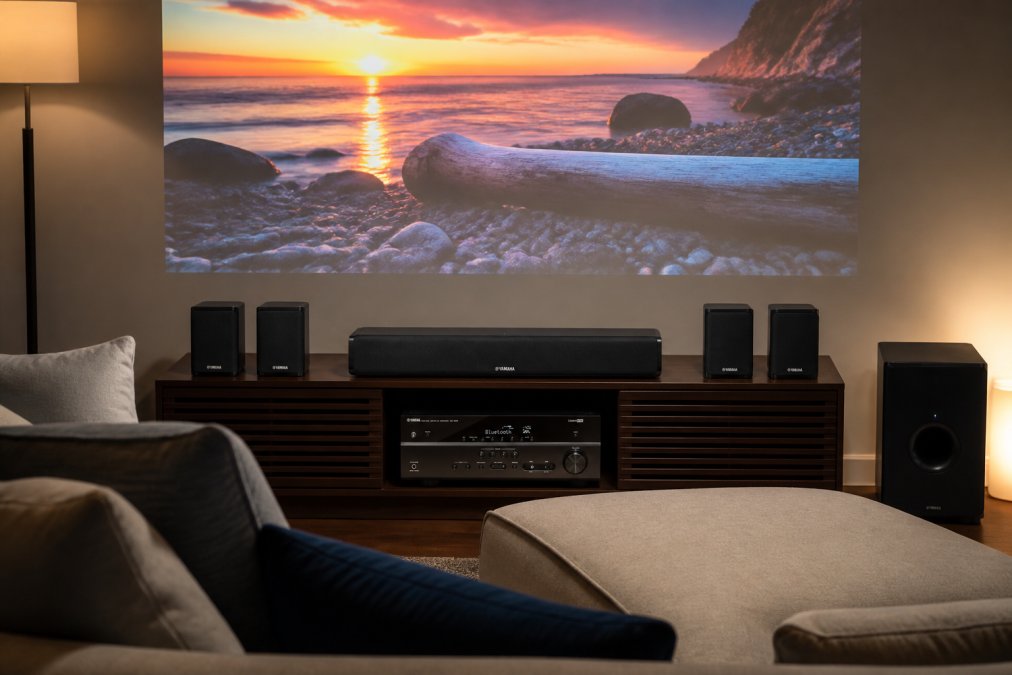
The audio system handles dialogue clarity and immersive surround sound. A 5.1-channel setup routes different audio elements to different speakers: front left and right for primary dialogue, a center channel for on-screen voices, rear surrounds for ambient effects, and a subwoofer for bass impact. The Yamaha YHT-4950U delivers 400W of total output power across 5.1 channels, giving you the range and clarity that transforms flat TV sound into genuine immersive audio. For those prioritizing simplicity, the iLive 5.1 Surround Sound System offers plug-and-play setup with Bluetooth pairing.

Theater seating completes the equation. A two-hour movie becomes uncomfortable on a standard sofa. Theater recliners with individual cup holders and power adjustment let everyone find their ideal position without disturbing others. The Ridgeline 5-Seat Power Theater Recliner Set gives you five individual power recliners in vegan leather, each with its own cup holder, built for the whole crew.
Calibration tools and wireless connectivity matter more than most guides acknowledge. A quality bundle includes straightforward setup guides and wireless connectivity that actually works reliably.
Best Home Theater Speaker Placement Guide for Your Room
Speaker placement determines whether you get immersive surround sound or audio that sounds like it's coming from random corners. The goal is creating a soundscape where dialogue stays front-and-center, ambient effects wrap around you, and bass feels physical without overwhelming the room.
Front speakers, left, center, and right, should sit at ear level or slightly above when seated. The center channel goes directly above or below your screen; this is where most dialogue lives. Left and right speakers flank the screen at roughly 22-30 degrees from center. If your room doesn't allow for three separate front speakers, a quality soundbar can consolidate front-left, center, and front-right into one unit.
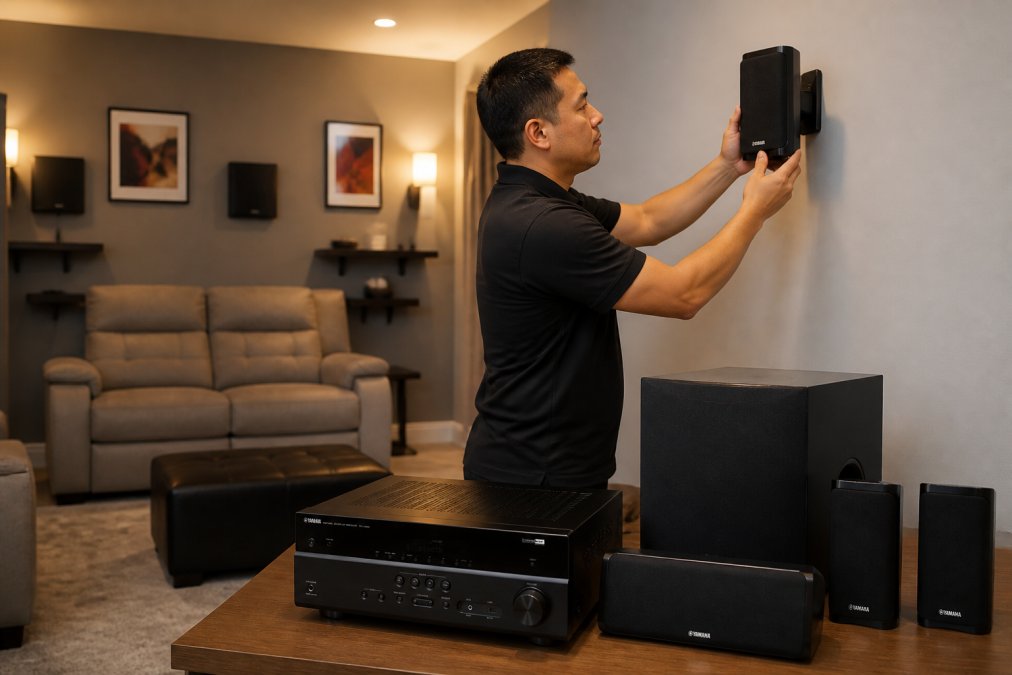
Rear surround speakers go behind or to the sides of your seating area, typically mounted 1-2 feet above ear level. These create the immersive wrap-around effect; ambient sounds like rain, wind, or crowd noise emanate from behind you.
The subwoofer handles frequencies below 80Hz, bass you feel more than hear. Placement is flexible because low frequencies are omnidirectional; most people place it in a corner or along a wall. If bass sounds muddy, move the subwoofer a few feet.
Room acoustics matter. Hard surfaces like tile and glass reflect sound harshly; soft materials like curtains and carpet absorb it. Strategic placement of soft furnishings, heavy curtains, acoustic panels, or bookshelves breaks up reflections. Wireless connectivity eliminates the cable-routing nightmare, giving you immersive audio without the clutter.
Immersive Audio and Surround Sound Configurations Explained
Surround sound is the difference between hearing a movie and experiencing it. Understanding basic configurations helps you choose the right setup for your space.
A 5.1 configuration is the standard: five speakers (front left, center, front right, rear left, rear right) plus a subwoofer (dolby.com). This creates a convincing surround field without overwhelming complexity. Most streaming services and Blu-rays support 5.1, so you get genuine immersive audio with content you already own. The Yamaha YHT-4950U and iLive 5.1 systems both deliver this setup, making it the most practical choice for most rooms.
A 7.1 configuration adds side surrounds between your front and rear speakers, creating a more enveloping soundscape. This setup shines in larger rooms or dedicated media spaces, though it requires more complexity and cables.
Dolby Atmos adds height channels, speakers mounted in the ceiling or on top of front speakers that create overhead sound effects. A plane flying overhead actually sounds like it's above you. This requires compatible content and a receiver that supports object-based audio. For most casual viewers, 5.1 delivers genuine immersion; Atmos is the next level for enthusiasts.
Multi-channel audio routing is where receivers orchestrate the experience. A receiver takes audio from your TV, streaming device, or Blu-ray player and routes different elements to different speakers based on the audio format. Dialogue goes to the center channel, ambient effects to surrounds, and bass to the subwoofer. This happens automatically.
Wireless streaming changes the game. Instead of running cables from your receiver to rear speakers, Bluetooth-enabled systems let you place speakers anywhere without permanent installation.
Home Theater System Setup Checklist: From Unboxing to First Movie
A structured approach eliminates guesswork and gets you watching in under an hour.
Start by positioning your projector. Decide whether you want it on a wall or ceiling; the rotating stand on models like the Nova 300 gives you both options. Measure the distance from your projector to the wall where you'll display the image. The projector's throw ratio determines how large an image you get at that distance. A 12-foot-deep room with a standard throw ratio projector produces roughly a 100-120 inch image.
Next, set up your audio system. Position front speakers at ear level on either side of your screen, and place the center channel directly above or below the screen. Mount rear surrounds 1-2 feet above ear level behind your seating. Place the subwoofer in a corner or along a wall. For wireless systems, charge all speakers and pair them via Bluetooth to your receiver or TV.
Mount your seating. Theater recliners need a few feet of clearance in front for the footrest to extend. Arrange them so everyone has a clear view of the screen without neck strain. The ideal viewing distance is 1.5 to 2.5 times the screen width.
Connect your sources. Run HDMI from your streaming device, Blu-ray player, or cable box to your receiver, then from the receiver to your projector. Calibrate your projector using automatic focus and keystone correction, then run your first test with a movie or show featuring clear dialogue and dynamic action.
| Setup Step | Time Required | Key Consideration |
|---|---|---|
| Position projector and measure throw | 15 minutes | Account for wall/ceiling placement and distance |
| Mount audio speakers | 20 minutes | Front speakers at ear level, rears above and behind seating |
| Arrange seating | 10 minutes | Ensure clear sightlines and adequate legroom |
| Connect source devices | 10 minutes | Use HDMI from sources to receiver to projector |
| Calibrate projector | 5 minutes | Use automatic focus/keystone; adjust brightness if needed |
| Pair wireless speakers | 10 minutes | Verify strong Bluetooth signal throughout room |
How to Fix Bluetooth Audio Lag and Ensure Reliable Connectivity
Bluetooth audio lag, the delay between video and sound, ruins immersion. Understanding what causes lag and how to prevent it keeps your system performing reliably.
Bluetooth latency typically ranges from 100-300 milliseconds depending on your devices and environment (peer-reviewed research). For casual viewing, under 150ms feels acceptable. Some receivers and soundbars include "aptX Low Latency" or similar technologies that reduce delay to 30-50ms.
Interference is the primary culprit. WiFi, microwaves, and cordless phones operate on the same 2.4GHz frequency as Bluetooth. If your streaming device is using WiFi while simultaneously sending audio via Bluetooth, you're competing for bandwidth. Solution: move your receiver or speakers closer to your source device, or switch your streaming device to a 5GHz WiFi network if available.
Pairing stability matters. Unpair and re-pair your speakers if you notice stuttering or dropouts. Ensure your receiver and speakers have the latest firmware; manufacturers often release updates that improve Bluetooth performance.
Distance and obstacles degrade signal. Bluetooth works reliably within 30 feet in open space, but walls and metal objects reduce range. If your rear surrounds are in a different room from your receiver, signal may drop. Reposition your receiver or use a Bluetooth extender, or consider wired connections for rear speakers if wireless proves unreliable.
Reduce connected device clutter. If your TV, soundbar, and receiver are all trying to connect to your phone simultaneously, Bluetooth gets confused. Unpair devices you're not actively using.
Long-Term Value: Maintenance, Firmware Updates, and ROI
A premium home theater bundle is an investment that should perform reliably for years. Understanding maintenance and long-term value helps you protect that investment.
Projector maintenance is minimal but important. Dust accumulates on the lens and inside the unit, reducing brightness over time. Clean the lens monthly with a microfiber cloth. Every 6-12 months, gently vacuum the intake vents. Most projectors have replaceable air filters; replace when visibly clogged. Lamp life varies by model; many last 20,000-30,000 hours (ies.org). At four hours per day, that's 15-20 years.
Speakers need even less maintenance. Keep them away from moisture and direct sunlight. Dust them occasionally. Wireless speakers need periodic recharging if battery-powered, or a reliable power source if hardwired.
Firmware updates improve performance and add features. Receivers and smart projectors regularly release updates that enhance audio processing, improve Bluetooth stability, or add new streaming app support. Check your device manufacturer's website quarterly or enable automatic updates if available.
Theater seating requires basic care. Vegan leather or genuine leather benefits from occasional conditioning. Vacuum between cushions to remove debris. Quality seating is built to last 10+ years with minimal upkeep.
Return on investment extends beyond entertainment value. A well-designed home theater increases property appeal and resale value. More importantly, a system you actually use delivers years of value that pure financial metrics don't capture. Movie nights become events. Sports viewing becomes immersive. Gaming feels genuinely different.
The real cost of ownership is minimal once initial setup is complete. Electricity for a projector running four hours daily costs roughly $50-100 annually. Speaker maintenance is free. Occasional lamp replacement or firmware updates are inexpensive.
A premium home theater bundle transforms how you experience entertainment at home. The combination of a high-quality projector, immersive surround sound, and comfortable seating creates a cinema-like experience without leaving your living room. At JoeMo Promo, we've curated bundles that prioritize reliability, ease of setup, and long-term performance, featuring products like the Nova 300 Smart Home Theater Projector with automatic focus and keystone correction, the Yamaha YHT-4950U 5.1 system delivering 400W of balanced audio, and the Ridgeline 5-Seat Power Theater Recliner Set for genuine comfort. The 30-day return policy and free shipping on most orders within the Continental U.S. mean you can invest with confidence. Shop the Collection and discover how a well-designed bundle eliminates the guesswork and gets you watching great content immediately.

Frequently Asked Questions
Q: What is the best home theater bundle for beginners?
A: A beginner-friendly home theater bundle combines three essential elements: a projector with automatic focus and keystone correction, a 5.1 surround sound system with Bluetooth connectivity, and comfortable seating. The Nova 300 Smart Home Theater Projector paired with the iLive 5.1 Surround Sound System offers automatic setup features that eliminate manual calibration, making it ideal for first-time users. These bundles prioritize plug-and-play installation over complex receiver configurations, letting you enjoy a cinema-like experience within hours of unboxing.
Q: Is it better to buy a home theater bundle or individual components?
A: Premium home theater bundles offer significant advantages over buying components separately. Bundles ensure compatibility between projectors, receivers, and speakers, eliminating connectivity headaches and hidden costs. They're engineered for optimal acoustic performance in typical living rooms, whereas individual components require professional calibration. Bundled systems also provide streamlined setup, wireless streaming, automatic focus, and pre-matched audio levels, reducing installation time from days to hours. For most homeowners, bundles deliver better value, reliability, and immediate satisfaction than piecemeal purchases.
Q: How does a 300-inch projection setup change the viewing experience?
A: A 300-inch projection transforms your room into a true cinema. This screen size creates an immersive visual field that fills your peripheral vision, pulling you into the action in ways a standard TV cannot match. The Nova 300 projector's native 1080p resolution with 4K support maintains crisp detail across this entire display, while the automatic keystone correction ensures edge-to-edge sharpness regardless of mounting angle. Combined with surround sound and comfortable seating, a 300-inch projection replicates the dynamic range and presence of a professional theater, making sports, movies, and games feel like live events.
Q: What should I do if my wireless speakers experience Bluetooth audio lag?
A: Bluetooth audio lag typically stems from interference, distance, or outdated firmware. First, position your receiver within 30 feet of speakers and away from WiFi routers, microwaves, and cordless phones. Update your sound system's firmware through its app or control panel, manufacturers regularly release patches that improve connectivity stability. Reduce the number of active Bluetooth devices nearby, as multiple connections compete for bandwidth. If lag persists, switch to a 5GHz WiFi connection for streaming devices, or use wired audio connections for critical components like the center speaker. Most premium systems like the Yamaha YHT-4950U offer both wireless and wired options for maximum flexibility.
This article was written using GrandRanker






















