

10 Best Soundbars for Projector Setup 2026
Table of Contents
- Quick Comparison Table: Best Soundbars for Projectors
- 1. Yamaha YHT-4950U: Best Overall Soundbar for Projectors
- 2. iLive Cinema Series 5.1: Best for Immersive Surround Sound
- 3. iLive 5.1 Surround Sound System: Best Plug-and-Play Option
- 4. JoeMo 800W Surround Sound System: Best Budget-Friendly Soundbar
- 5. iLive Home Theater System with Learning Remote: Best for Unified Control
- 6. Supersonic Bold 5.1 Surround System: Best for Bass and Full-Room Sound
- Wireless Audio Setup for Home Theater: Connectivity Options Explained
- Setup Guide: Connecting Your Soundbar to a Projector
- Soundbar Placement and Acoustic Treatment for Projector Rooms
- Power Management and Cable Organization
- Key Takeaways
- Frequently Asked Questions
Last Updated: September 2, 2026
Quick Comparison Table: Best Soundbars for Projectors
| Soundbar System | Price | Key Strength | Best For |
|---|---|---|---|
| Yamaha YHT-4950U | $618.80 | 400W power, trusted audio brand | Home theater enthusiasts seeking premium performance |
| iLive Cinema Series 5.1 | $499.99 | 26" center speaker, immersive surround | Movie nights with cinematic presence |
| iLive 5.1 Surround Sound System | $519.99 | Plug-and-play Bluetooth setup | Wireless simplicity without cable clutter |
| JoeMo 800W Surround Sound System | $198.24 | Budget-friendly with real subwoofer punch | Cost-conscious buyers wanting bass impact |
| iLive Home Theater System with Learning Remote | $509.99 | Single remote controls entire setup | Families tired of juggling multiple remotes |
| Supersonic Bold 5.1 Surround System | $519.99 | Heavy-duty bass and full-room sound | Action movie fans seeking immersive impact |
Choosing the right soundbar for projector setups means balancing audio quality, connectivity, and room acoustics. A projector demands audio that matches its visual impact, and most built-in TV speakers fall short. This guide walks you through the best options available, how to connect them properly, and how to optimize your room for immersive sound.

At JoeMo Promo, we've handpicked systems that pair seamlessly with projector installations. The difference between a forgettable movie night and an unforgettable one often comes down to sound.
1. Yamaha YHT-4950U: Best Overall Soundbar for Projectors
The Yamaha YHT-4950U delivers 400 watts across a true 5.1 channel configuration with the clarity and dynamic range Yamaha is known for (yamaha.com). The center channel stays crisp during dialogue, while the subwoofer handles low-frequency impact that makes action sequences feel real.
What separates this system from cheaper alternatives is engineering quality. Components handle both quiet moments and explosive peaks without distortion. Setup involves connecting via HDMI eARC or optical cable, both handled without latency issues. For rooms between 200-400 square feet, this system fills the space appropriately.
At $618.80, this isn't a casual purchase, but for anyone building a proper home cinema, the longevity and sound quality justify the investment.
2. iLive Cinema Series 5.1: Best for Immersive Surround Sound
The iLive Cinema Series stands out because of its 26-inch center speaker, which provides dialogue clarity that makes you forget you're listening to a speaker. Four satellite speakers wrap around the viewing area, creating spatial audio that separates immersive home theater from basic TV sound.
This system excels at creating soundstage width, the sensation that sound extends beyond the screen. During action sequences, impacts move from front to back and side to side. At $499.99, it occupies the middle ground between budget systems and premium options.
The center speaker's size ensures voices remain present and intelligible, even during scenes with heavy background music.
3. iLive 5.1 Surround Sound System: Best Plug-and-Play Option
If you want real surround sound without wrestling with cables, the iLive 5.1 Surround Sound System removes friction from the equation. Bluetooth pairing happens in seconds. Once connected, your projector's audio streams wirelessly to the system.

This soundbar for projector installation appeals to people who prioritize simplicity. Dialogue stays crisp, explosions rumble, and surround speakers place sound effects convincingly. At $519.99, you're paying for straightforward functionality without customization options.
For apartments, smaller homes, or anyone moving within the next few years, this approach makes sense.
4. JoeMo 800W Surround Sound System: Best Budget-Friendly Soundbar
The JoeMo 800W system proves that budget doesn't mean compromised bass or weak surround presence. At $198.24, this is the entry point for anyone serious about upgrading from their projector's built-in audio.

The 6.5-inch subwoofer delivers genuine low-frequency impact. Action movies feel weighted, music has body, and gaming audio benefits from the subwoofer's presence. The 5.1/2.1 channel configuration focuses resources where they matter most. Bluetooth pairing is instant, and the included remote offers built-in EQ modes for room tuning.
For the price, it's the best value for someone building their first home theater.
5. iLive Home Theater System with Learning Remote: Best for Unified Control
This system solves remote clutter. The learning remote handles your projector, soundbar, and streaming device with one controller. Six wired surround speakers create a true theater soundstage. The wired approach guarantees consistent signal quality without Bluetooth dropouts.
At $509.99, you're paying for unified control convenience and reliable wired surround speakers. Over weeks of use, reaching for one controller instead of three becomes second nature.
6. Supersonic Bold 5.1 Surround System: Best for Bass and Full-Room Sound
The Supersonic Bold system is built for impact. This is the choice for action movie fans and sports enthusiasts who want their room to shake during key moments. The 5.1 configuration delivers bass you feel, not just hear.
At $519.99, it's priced competitively with other full-featured systems but with a specific strength: low-frequency reproduction. For game day viewing, the bass response creates stadium atmosphere. The system is genuinely heavier-duty, built to sustain repeated high-volume bass output without fatigue.
Wireless Audio Setup for Home Theater: Connectivity Options Explained
Your projector needs audio, and the cable path from projector to soundbar determines everything about your setup experience. Three connectivity standards dominate: HDMI eARC, optical, and Bluetooth.
HDMI eARC vs. Optical vs. Bluetooth
HDMI eARC is the modern standard. If your projector and soundbar both support it, use this connection. eARC sends audio back through the HDMI cable, eliminating the need for a separate audio cable. It handles high-bandwidth audio formats like Dolby Atmos and supports future audio standards.
The catch: both devices must support eARC. Older projectors often don't.
Optical (TOSLINK) cables are the reliable fallback. Nearly every projector includes an optical audio output. The connection never drops and handles standard surround sound formats perfectly. Optical's limitation is bandwidth, it can't carry Dolby Atmos.
Bluetooth offers wireless convenience but introduces latency and reliability variables. Bluetooth audio can lag 100-200 milliseconds behind video, creating lip-sync issues (peer-reviewed research). Use it for streaming music from your phone, not for projector audio.
Best Soundbar with HDMI ARC for Projector Setups
HDMI eARC-compatible soundbars simplify setup dramatically. The Yamaha YHT-4950U supports eARC, eliminating the need for a separate optical cable. This single connection carries video and audio, reducing cable clutter.
eARC also enables Dolby Atmos, the spatial audio format that adds height channels. If you're building a system you'll use for years, eARC future-proofs your audio investment.
Setup Guide: Connecting Your Soundbar to a Projector
Physical placement and cable routing determine whether your setup feels professional or tangled.
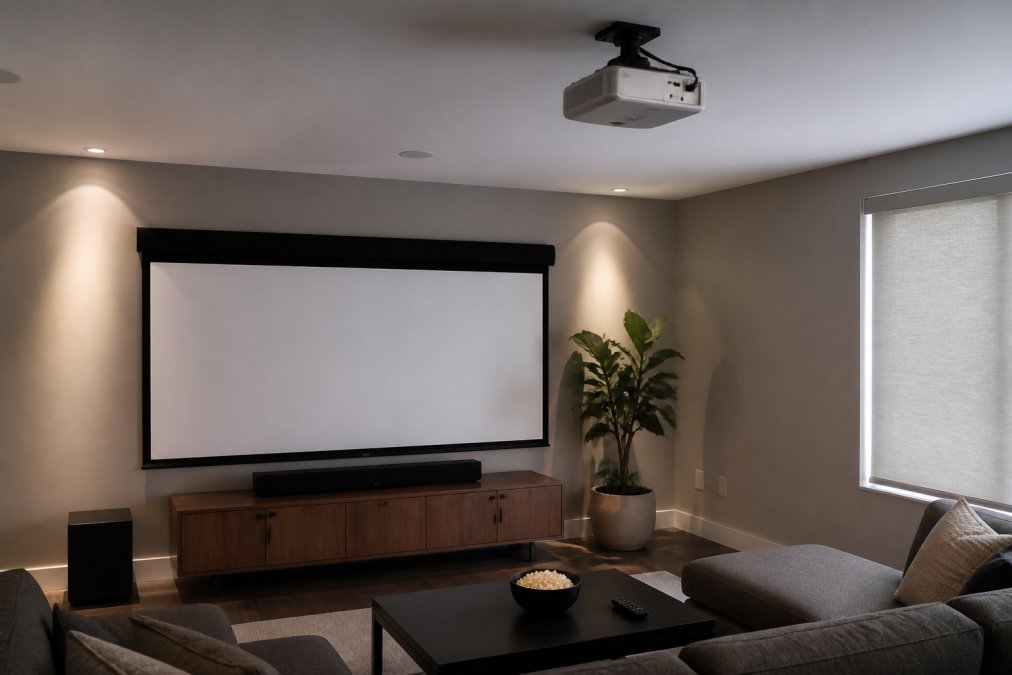
Mount the soundbar directly below your projection screen at ear level when seated. This positioning ensures sound appears to come from the screen itself. Off-axis positioning breaks this illusion.
For ceiling-mounted projectors, run the audio cable along the same path as the projector cable. Use cable conduit or clips to keep cables organized. Connect the projector to the soundbar using either HDMI eARC or optical cable. If using optical, run it away from power cables to avoid electromagnetic interference.
Test the audio before finalizing cable placement. Dialogue should come from the screen, and surround effects should wrap around the room. For wireless systems, pair the soundbar with your projector's audio output before positioning surround speakers. Place surround speakers at ear level or slightly higher on side walls, about 90-120 degrees from center (thx.com).
Soundbar Placement and Acoustic Treatment for Projector Rooms
Where you place your soundbar matters as much as which one you choose. Hard surfaces reflect sound, soft surfaces absorb it, and the balance determines whether your room sounds like a theater or a gymnasium.
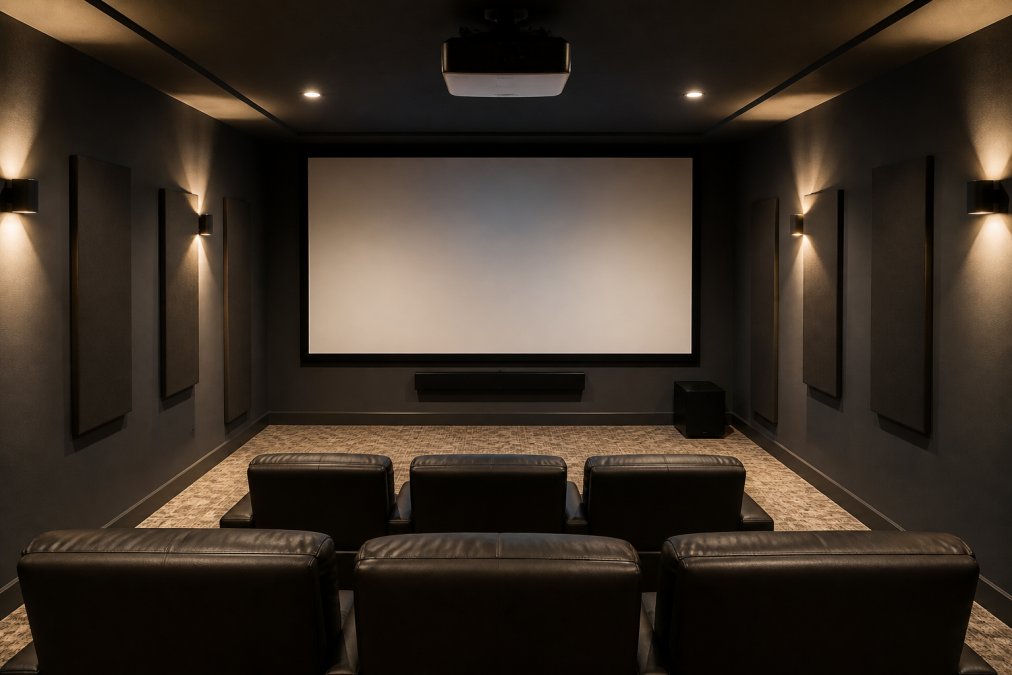
Bare rooms with hard floors and minimal furniture create acoustic problems. Sound bounces around, muddying dialogue. Address this by adding soft furnishings. Heavy curtains absorb high-frequency reflections. Area rugs dampen floor reflections. Upholstered seating absorbs sound naturally.
For dedicated media rooms, acoustic panels on side walls reduce reflections from surround speakers. Bass traps in corners control low-frequency buildup. You don't need expensive professional treatment, simple foam panels at reflection points make measurable differences.
Subwoofer placement deserves special attention. Experiment with positioning in different corners and along different walls. Play bass-heavy scenes and listen for the tightest response. Avoid placing the subwoofer directly under seating, position it to the side or behind for better results.
Power Management and Cable Organization
Home theater setups involve multiple powered devices. Use a quality power strip or uninterruptible power supply (UPS) to power all devices. This provides surge protection and makes powering down the entire system simple.
Bundle similar cables together. Audio cables separate from power cables. Video cables separate from both. This prevents electromagnetic interference. Use cable clips or conduit to secure cables along walls. Label both ends of every cable, when you need to troubleshoot, labeled cables save hours of tracing.
Keep the subwoofer cable separate from other audio cables to avoid introducing noise.
Key Takeaways
- Best overall performance: The Yamaha YHT-4950U delivers engineering quality that justifies its $618.80 price.
- Best immersive experience: The iLive Cinema Series 5.1 creates true surround presence with its 26-inch center speaker.
- Best budget option: The JoeMo 800W system at $198.24 provides real subwoofer punch without the flagship price.
- Best for simplicity: The iLive 5.1 Surround Sound System offers plug-and-play Bluetooth setup.
- Best for unified control: The iLive Home Theater System with Learning Remote eliminates remote clutter.
- Best for bass impact: The Supersonic Bold 5.1 system prioritizes low-frequency presence.
- Connectivity priority: Use HDMI eARC if available, optical as a reliable fallback, and Bluetooth only for non-projector audio sources.
- Placement matters: Position the soundbar below your screen at ear level. Add soft furnishings to control room acoustics.
Building a home cinema doesn't require hiring an installer or spending months researching equipment. The right soundbar for projector setup combines audio quality with straightforward connectivity, delivering immersive sound that matches your projector's visual impact. JoeMo Promo's curated selection of surround sound systems, from the premium Yamaha YHT-4950U to the budget-friendly JoeMo 800W, handles every use case and budget level. Each system includes wireless speaker connectivity for a clutter-free experience, and our 30-day return policy ensures you can test the setup in your actual room before committing. Shop the Collection and transform your movie nights and game days with audio that makes you forget you're watching a screen.
Frequently Asked Questions
What is the best soundbar for a projector setup?
The best soundbar for a projector depends on your room size, budget, and connectivity needs. The Yamaha YHT-4950U ($618.80) offers 400W of power and true 5.1 surround sound for dedicated home cinema rooms. For smaller spaces or tighter budgets, the JoeMo 800W Surround Sound System ($198.24) delivers solid bass and Bluetooth connectivity without breaking the bank. Choose based on your room's acoustic needs and whether you prioritize wireless convenience or wired surround speaker immersion.
How do I connect a wireless soundbar to my projector?
Most modern soundbars connect via Bluetooth, HDMI eARC, or optical cable. For wireless setup, enable Bluetooth on both your soundbar and projector (or streaming device), then pair them through the soundbar's menu. If your projector lacks Bluetooth, use a streaming device like a Roku or Apple TV as the audio source. HDMI eARC offers the most reliable connection with automatic audio format support, while optical cables provide a wired alternative if Bluetooth drops occur.
What should I look for in a soundbar for a home cinema?
Prioritize multi-channel configuration (5.1 or higher), frequency response that covers dialogue and bass, and low-latency connectivity to avoid lip-sync issues. Check for HDMI eARC or optical input compatibility with your projector. Subwoofer integration matters for immersive action scenes, and room calibration features help optimize sound for your space. Consider whether you need wireless convenience or prefer wired surround speakers for consistent performance during extended viewing sessions.
Can I use a budget soundbar with my projector, or do I need premium audio?
Budget soundbars work well with projectors if they match your room size and content preferences. The JoeMo 800W system ($198.24) and iLive 5.1 ($519.99) both deliver immersive surround sound without premium pricing. Test audio synchronization before purchasing, as cheaper models may have higher latency. For casual viewing and streaming, a budget system suffices; for serious home cinema or gaming, invest in systems with better frequency response and subwoofer integration to fully capture the projector's visual impact.
How do I fix Bluetooth audio lag between my soundbar and projector?
First, reduce interference by moving the soundbar closer to your projector or streaming device and keeping WiFi routers away from audio equipment. Restart both devices and re-pair them. Switch to HDMI eARC or optical cable if Bluetooth latency persists, as wired connections eliminate wireless delay. Enable low-latency mode if available in your soundbar settings. If lip-sync issues continue, check your projector or streaming device for audio delay adjustment options, often found in picture or sound settings.
This article was written using GrandRanker






















