

Best Projector for 12 Foot Room: Complete Setup Guide
Table of Contents
- Understanding Throw Distance and Screen Size for 12-Foot Rooms
- Short Throw vs Standard Throw Projectors: Which Works for 12 Feet
- Brightness, Resolution, and Contrast: Core Specs for 12-Foot Viewing
- Best Projector Screen Size for 12 Foot Distance
- Using a Projector Throw Distance Calculator
- Top Projectors for 12-Foot Rooms
- Mounting, Placement, and Furniture Constraints
- Acoustic Integration and Audio Setup
Last Updated: August 24, 2026
Understanding Throw Distance and Screen Size for 12-Foot Rooms
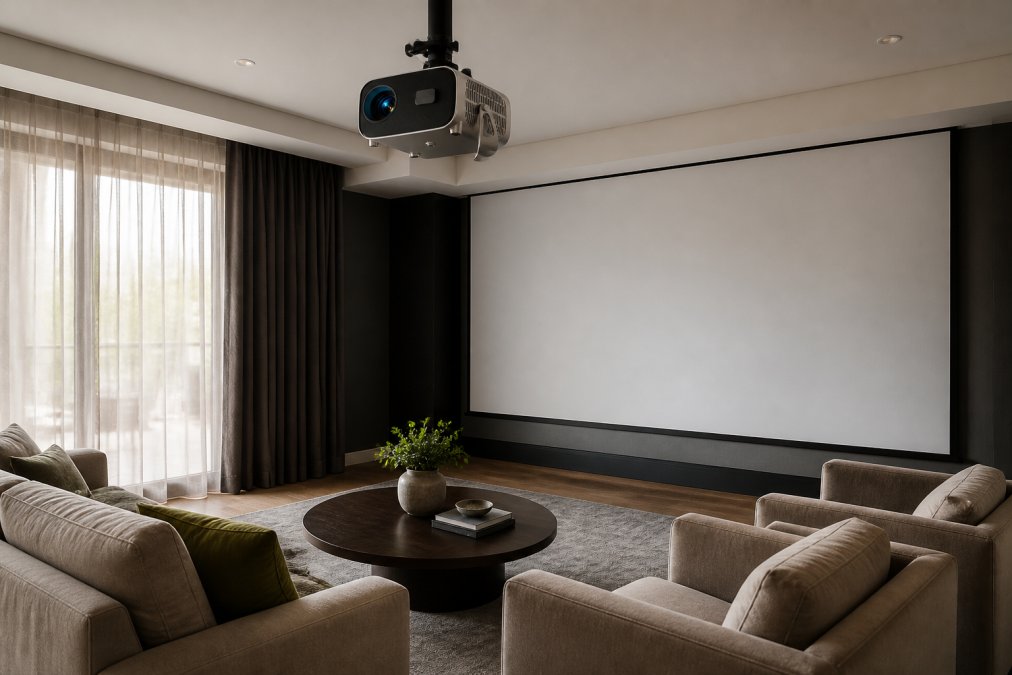
A 12-foot room presents a specific geometry challenge when planning a projector setup. Throw distance, how far the projector sits from the screen, determines whether you can project a usable image. Throw ratio is the relationship between throw distance and screen width. A projector with a 1.5:1 throw ratio needs 1.5 feet of distance for every foot of screen width. At 12 feet from the wall, divide by 1.5 to find maximum screen width: 8 feet wide, roughly a 100-inch diagonal screen.
Standard throw projectors typically fall between 1.5:1 and 2:1, while short throw models deliver ratios closer to 0.5:1 or 0.6:1. A short throw projector in a 12-foot room can project a 200+ inch screen from just 8-10 feet away, transforming an otherwise cramped setup into something genuinely cinematic.
How Throw Ratio Determines Your Setup
Throw ratio is expressed as the relationship between throw distance and image width. A 1.5:1 ratio means if the projector is 15 feet away, your image width will be 10 feet. If you're locked into a 12-foot throw distance and want a 150-inch screen (roughly 8.5 feet wide), you need a projector with a throw ratio around 1.4:1.
Standard throw projectors work best when you have placement flexibility. Short throw projectors solve this problem by engineering close-proximity mounting to achieve large images from tight spaces. The Nova 300 Smart Home Theater Projector includes a 360-degree rotating stand that lets you position it flexibly against walls or ceilings, adapting to your room's constraints without permanent installation.

Calculating Screen Size for Your Space
Start with your throw distance. Measure from where your projector will sit to where your screen will be, typically 10-14 feet in a 12-foot room depending on furniture placement.
Next, identify your projector's throw ratio from the specifications.
Use this formula: Screen Width (in feet) = Throw Distance ÷ Throw Ratio
Example: If your projector is 12 feet from the wall with a 1.5:1 throw ratio, your maximum screen width is 12 ÷ 1.5 = 8 feet, roughly 92 inches diagonal (16:9 aspect ratio). A short throw projector with a 0.6:1 ratio at 8 feet from the wall would support 8 ÷ 0.6 = 13.3 feet wide, or roughly a 150-inch screen.
Short Throw vs Standard Throw Projectors: Which Works for 12 Feet
For a 12-foot room, the choice between short throw and standard throw depends on flexibility and desired image size. Standard throw projectors are less expensive but inflexible in placement. Short throw models cost more but solve the geometry problem many 12-foot rooms face.
When Standard Throw Makes Sense
Standard throw projectors work well in dedicated home theaters where you can position the projector 12-20 feet back. If your 12-foot room is a dedicated media space with the projector mounted on the back wall above seating, a standard throw model saves money.
The CAIWEI Halo 300 Ultra-Bright Projector represents the standard throw approach with a practical advantage: its 10,000 lumens brightness handles ambient light that would wash out dimmer projectors. In a living room where you can't fully blackout windows, this brightness advantage matters more than short throw flexibility.

Short Throw Advantages in Compact Spaces
Short throw projectors excel when your 12-foot room has constraints. If seating is fixed, your projector can't move back, or wall space is limited, short throw solves the math problem by projecting larger images from closer distances.
A short throw projector mounted 8-10 feet from the wall doesn't cast shadows from people walking in front of it, a genuine problem with standard throw in living rooms. The Wanderlight Portable Smart Projector takes this flexibility further. It's designed to move between rooms, with a compact form factor and built-in smart TV that eliminate cable clutter.
Brightness, Resolution, and Contrast: Core Specs for 12-Foot Viewing
Brightness and resolution matter differently in a 12-foot room than in a dedicated dark theater. Ambient light degrades image quality. Resolution determines sharpness at your viewing distance.
Lumens and Ambient Light Rejection
Lumens measure brightness. Home theater guides recommend 1,500-2,500 lumens for dark rooms and 3,000+ for rooms with ambient light. A 12-foot living room that doubles as a family space often requires higher brightness.
The CAIWEI Halo 300's 10,000 lumens is valuable if your space has windows or you skip blackout curtains. That brightness gives usable images even with ambient light, a practical advantage over standard-brightness projectors requiring near-total darkness.
Native Resolution and 4K Support
Native resolution is what the projector actually outputs. 4K support means the projector accepts 4K input and downscales it, but the actual image is still 1080p. At 12 feet, the difference between 1080p and native 4K is subtle.
At 12 feet, viewing angle is roughly 30-35 degrees (smpte.org). A 1080p projector delivers sharp text and crisp images. The Nova 300 and CAIWEI Halo 300 both deliver native 1080p with 4K support, hitting the practical sweet spot for 12-foot rooms.
Best Projector Screen Size for 12 Foot Distance
Screen size is the most visible decision in a home theater setup. Bigger isn't always better, optimal size depends on viewing distance and room dimensions.
Ideal Screen Dimensions and Aspect Ratio
The Society of Motion Picture and Television Engineers (SMPTE) recommends a viewing angle of 30-35 degrees for home theater (smpte.org). At 12 feet, that translates to a screen height of 3-4 feet (roughly 70-100 inch diagonal in 16:9 aspect ratio).
Most 12-foot rooms work well with 100-150 inch screens. Below 100 inches, you're watching a screen smaller than many living room TVs. Above 150 inches, your neck moves to track action, reducing immersion. A 120-inch 16:9 screen is roughly 6.8 feet wide and 3.8 feet tall, fitting comfortably on most living room walls.
Visualizing 300-Inch Projection in Your Room
JoeMo Promo's projectors support up to 300-inch image projection. A 300-inch diagonal 16:9 screen is 17 feet wide and 9.5 feet tall. In a 12-foot-deep room, that screen consumes the entire front wall. The 300-inch spec is the projector's maximum capability, not a recommendation. For a typical 12-foot living room, 120-150 inches is the practical ceiling.
Using a Projector Throw Distance Calculator
A throw distance calculator removes guesswork. Input throw distance and projector throw ratio, and it outputs maximum screen size. Measure throw distance, find your projector's throw ratio in the spec sheet, divide distance by ratio.
Example: 12-foot throw distance, 1.5:1 throw ratio. 12 ÷ 1.5 = 8 feet wide. 8 × 12 ÷ 0.5625 = 92 inches diagonal.
Top Projectors for 12-Foot Rooms
For a 12-foot room, the best projector balances throw ratio, brightness, resolution, and ease of setup.
1. Nova 300 Smart Home Theater Projector: Best for Automatic Setup
The Nova 300 Smart Home Theater Projector ($529.99) solves the setup problem that frustrates most new projector owners. Auto-focus and keystone correction lock in a sharp, properly aligned image in seconds.
The 360-degree rotating stand is the standout feature for 12-foot rooms. You can position it against a wall, angle it at the ceiling, or mount it flexibly without permanent installation. Built-in WiFi and Bluetooth let you stream directly from your phone or pair wireless speakers, eliminating cable clutter. Native 1080p with 4K support hits the practical resolution sweet spot for 12-foot viewing.
What works: Automatic focus and keystone correction genuinely work. Setup is minutes, not hours. What to watch: Standard throw ratio means you'll need adequate throw distance. In a 12-foot room, expect a 100-120 inch screen realistically.
2. CAIWEI Halo 300 Ultra-Bright Projector: Best for Ambient Light Rooms
The CAIWEI Halo 300 Ultra-Bright Projector ($559.99) is engineered for rooms where you can't fully blackout light. Its 10,000 lumens brightness is roughly 4-6 times brighter than entry-level projectors.
Built-in Android system and 5G WiFi mean you're streaming Netflix or gaming within minutes of setup. No separate streaming box required. Native 1080p with 4K support matches the Nova 300's resolution approach.
What works: Brightness is genuinely useful if your 12-foot room has windows. Built-in Android eliminates one piece of equipment. What to watch: At $559.99, it's slightly more expensive than the Nova 300.
3. Wanderlight Portable Smart Projector: Best for Flexibility
The Wanderlight Portable Smart Projector ($509.99) prioritizes portability and flexibility. It's compact enough to move between rooms. Built-in smart TV means you're streaming within a minute of setup.

For a 12-foot room that's part of your living space, this flexibility is valuable. No permanent installation required.
What works: True portability. Built-in smart TV eliminates extra equipment. What to watch: Lower brightness limits use in rooms with ambient light.
| Projector | Starting Price | Best For | Key Advantage | Resolution |
|---|---|---|---|---|
| Nova 300 | $529.99 | Automatic setup, flexible mounting | 360° rotating stand, auto-focus | 1080p native + 4K support |
| CAIWEI Halo 300 | $559.99 | Ambient light rooms | 10,000 lumens brightness | 1080p native + 4K support |
| Wanderlight Portable | $509.99 | Flexibility and portability | Built-in smart TV, compact | 1080p native + 4K support |
Mounting, Placement, and Furniture Constraints
A 12-foot room forces real-world constraints that generic projector guides ignore. Your seating might be fixed. Your wall might have windows or outlets. Your ceiling might have beams or limited height.
Ceiling vs Wall Mounting in Tight Spaces
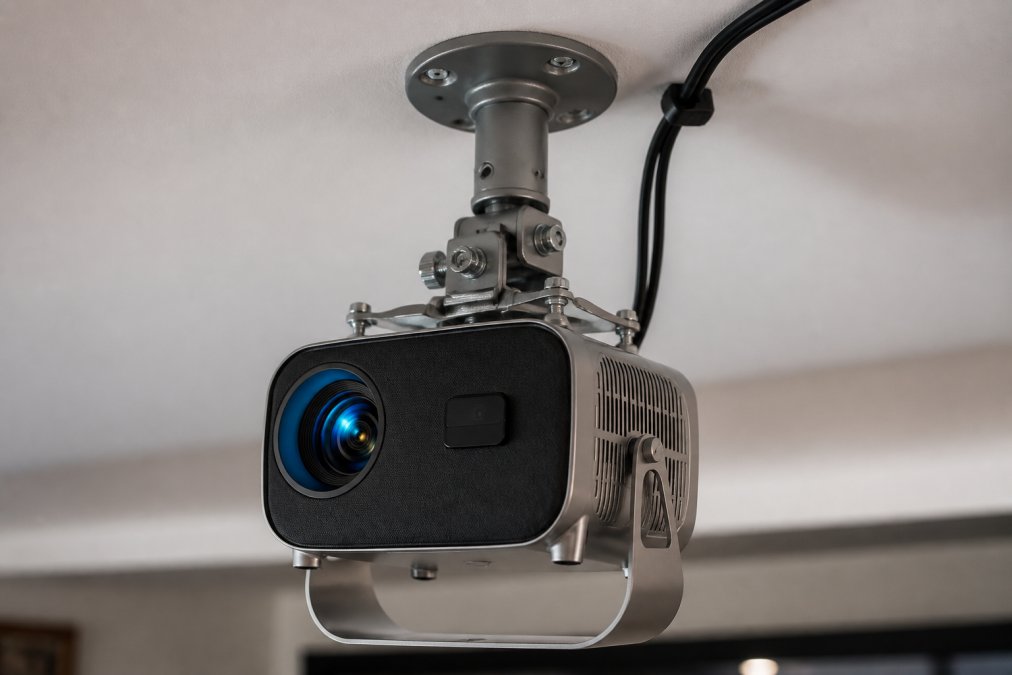
Ceiling mounting is the standard home theater approach. It keeps the projector out of sight and positioned for an unobstructed throw. In a 12-foot living room that doubles as a family space, ceiling mounting requires drilling, running cables, and permanent installation. Wall mounting on a stand or shelf offers an alternative. The Nova 300's rotating stand lets you position it on a shelf, angle it at the wall or ceiling, and move it if needed.
Wall-mounted projectors sit closer to the screen, limiting maximum screen size. In a 12-foot room with wall mounting, you're realistically working with 100-120 inch screens.
Working Around Furniture and Seating Layouts
Furniture placement determines whether you have throw distance flexibility. If seating is against the back wall, your projector must sit in front of it. A standard throw projector mounted above and behind seating casts shadows from people sitting in front of it. Short throw projectors avoid this problem by mounting close to the screen.
Consider cable routing too. The Nova 300's wireless connectivity (WiFi and Bluetooth) reduces cable clutter compared to projectors requiring HDMI runs from a separate streaming box.
Acoustic Integration and Audio Setup
A projector alone doesn't deliver home theater. Audio integration determines whether your 12-foot room feels immersive or incomplete.
Most projectors have built-in speakers that are typically small and inadequate for movies. Wireless speaker connectivity (Bluetooth) lets you pair external speakers without running cables. The Nova 300 and CAIWEI Halo 300 both support Bluetooth pairing.
For a true 5.1 surround setup, the iLive 5.1 Surround Sound System ($519.99) offers plug-and-play setup. Five speakers plus subwoofer deliver directional audio. For higher-end audio, the Yamaha YHT-4950U 5.1 Home Theater System ($618.80) brings trusted audio engineering with 400W total output across 5.1 channels.
Room acoustics matter too. Hard walls reflect sound, creating echoes. Soft furnishings (couches, curtains, carpets) absorb it. A 12-foot room with carpet, curtains, and upholstered seating has natural acoustic dampening.
A 12-foot room is genuinely workable for home theater. The constraint isn't space, it's understanding the geometry. Throw ratio determines screen size. Brightness matters if you can't blackout light. Resolution at 12 feet is practical at 1080p native. Flexible mounting solves real furniture constraints that permanent ceiling installation can't address.
JoeMo Promo's projectors and audio systems are built for exactly this scenario. The Nova 300's automatic setup and rotating stand adapt to real rooms. The CAIWEI's brightness handles ambient light. The Wanderlight's portability works for families who want flexibility. Pair any of them with the iLive or Yamaha audio system, and you've built a genuinely immersive space. Shop the Collection and transform your 12-foot room into a private theater.
Frequently Asked Questions
Will a 300-inch projection actually work in a 12-foot room without being too blurry?
Yes, a 300-inch projection works well in a 12-foot room if you choose the right projector. The key is matching throw distance to room depth. Standard throw projectors need roughly 1.5 times the screen width in distance, so a 120-inch screen requires about 15 feet. For 12-foot rooms, look for projectors with throw ratios between 1.2 and 1.5, or consider short-throw models that project larger images from closer distances. Native 1080p or 4K resolution ensures sharpness at any size.
How do I use a projector throw distance calculator for my specific room?
Measure your throw distance (wall to projector lens) and note your desired screen width. Most throw distance calculators use the formula: Screen Width = Throw Distance ÷ Throw Ratio. For example, if your throw distance is 12 feet and the projector has a 1.5 throw ratio, your screen width would be 8 feet (96 inches). Input these numbers into a calculator to confirm your setup works before purchasing. JoeMo Promo's projectors include auto-focus and keystone correction, which simplify fine-tuning after installation.
What's the difference between short throw and standard throw projectors for my space?
Standard throw projectors need 1.5 to 2 times the screen width in distance, making them ideal for rooms with deep seating areas. Short-throw projectors need only 0.3 to 1.2 times the screen width, letting you place them closer to the wall or screen. For a 12-foot room, standard throw works if you can place the projector 12+ feet from the wall. Short-throw is better if furniture or layout restricts projector placement. Both deliver sharp images; choose based on your room layout and where you can mount the projector.
How many lumens do I need for a projector in a 12-foot room?
For a dark or dedicated media room, 2,000 to 3,000 lumens is sufficient. If your room has ambient light from windows or lamps, aim for 5,000 to 10,000 lumens to maintain image brightness and contrast. The CAIWEI Halo 300 Ultra-Bright Projector delivers 10,000 lumens, making it excellent for rooms with some daytime light. Lumens directly affect picture quality in bright conditions, so don't underestimate this spec if your 12-foot room gets natural light.
What screen size should I actually aim for in a 12-foot room?
For a 12-foot viewing distance, aim for a screen between 100 and 150 inches (diagonal measurement). Most home theater experts recommend sitting 1.5 to 2.5 times the screen width away for comfortable viewing without eye strain. At 12 feet, a 120-inch screen places you in the ideal comfort zone. The Nova 300 Smart Home Theater Projector supports up to 300-inch projection, but in a 12-foot room, you'll typically max out around 120 to 150 inches depending on wall space and throw ratio.
This article was written using GrandRanker






















