

Home Projector Buying Guide 2026
Table of Contents
- How to Choose a Home Projector That Fits Your Space
- Best Projector for Small Living Rooms
- Projector Lumens for Living Room: Brightness and Ambient Light
- Projector Throw Distance Calculator and Setup Compatibility
- Projector Screen Size and Viewing Distance: Getting the Math Right
- Resolution, Contrast, and Picture Quality Explained
- Total Cost of Ownership and Long-Term Value
- Conclusion: Your Next Home Theater Investment
- Frequently Asked Questions
Last Updated: October 17, 2026
How to Choose a Home Projector That Fits Your Space
This home projector buying guide starts with understanding your space, not the specs sheet.
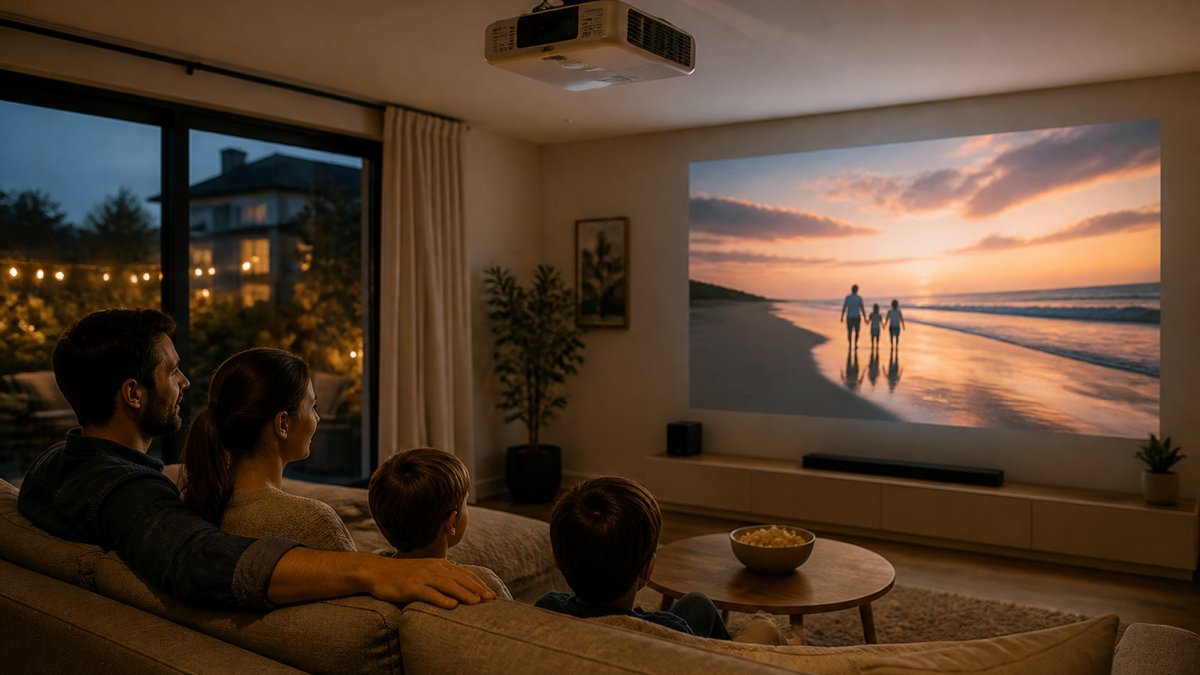
Most people chase the biggest screen size possible.
Brightness matters more than most guides admit. If your room has windows or you watch during the day, a dim projector becomes a frustrating paperweight.
Start by answering three questions: How deep is your room? How much natural light enters? What size screen do you actually want to watch comfortably?
Best Projector for Small Living Rooms
Small living rooms demand a projector designed for short throw distances.
The Nova 300 Smart Home Theater Projector ($529.99) is purpose-built for this scenario.

For renters who can't drill into walls, this is your best option: the rotating stand adapts to any layout, and JoeMo Promo's 30-day return policy means you can test it in your actual space.
The Wanderlight Portable Smart Projector ($509.99) takes portability further.

Projector Lumens for Living Room: Brightness and Ambient Light
Lumens measure brightness and tell you how visible the image stays as ambient light increases. This is where cheap projectors fail: they're dim in daylight and barely visible with a window or overhead lights on.
Living rooms with natural light need at least 2,000 to 3,000 lumens to stay watchable during the day; light-controlled rooms (blackout curtains, no windows) need only 1,500 to 2,000. The CAIWEI Halo 300 Ultra-Bright Projector ($559.99) delivers 10,000 lumens, enough to cut through evening light in a backyard or keep a vivid picture in a moderately lit living room.

That brightness matters for sports, where you want stadium-like intensity without dimming the room completely. Movie nights demand darker conditions, but for games or daytime events, you'll appreciate the extra lumens.
Contrast ratio, the difference between the darkest blacks and brightest whites, matters as much as lumens for picture quality. High lumens without contrast creates a washed-out image. Look for projectors that balance brightness with deep black levels, not just raw lumen count.
Projector Throw Distance Calculator and Setup Compatibility
Throw distance is the distance from the projector lens to the screen; throw ratio is that distance divided by screen width. A 1.2:1 projector produces a 100-inch image from 120 inches away, while a 0.5:1 ultra-short throw does it from 50 inches.
Step 1: Measure the room, not the spec sheet
Measure three things before you shop: the distance from your planned lens position to the wall, the width of the wall you want to fill, and your seating distance. Most projector disappointments trace back to skipping the home projector buying guide basics and measuring second.
- Lens-to-wall distance: If you plan to ceiling-mount, measure from the mount point, not the back wall. A ceiling mount typically sits 12 to 18 inches below the ceiling, which changes the geometry.
- Wall width: Your maximum image width is limited by the wall, not the projector. A 100-inch diagonal 16:9 image is about 87 inches wide; a 120-inch image is about 105 inches wide.
- Seating distance: This determines the largest comfortable screen size (see the screen-size section below).
Step 2: Calculate throw ratio both ways
Use the formula in both directions to sanity-check listings:
- Required throw ratio = lens-to-wall distance ÷ desired image width. If your lens sits 10 feet (120 inches) from the wall and you want an 87-inch-wide image, you need a throw ratio of about 1.38:1.
- Expected image width = lens-to-wall distance ÷ throw ratio. A 1.2:1 projector at 10 feet produces an image about 100 inches wide (roughly a 115-inch diagonal).
Most standard projectors have throw ratios between 1.2:1 and 1.5:1. Anything below 1.0:1 is considered short throw; ultra-short-throw models sit around 0.2:1 to 0.4:1 and rest inches from the wall. If your calculated ratio falls outside a projector's published range, that model will not produce the image size you want from your room.
| Lens-to-Wall Distance | Throw Ratio Needed for ~100" Diagonal (87" Wide) | Typical Projector Class |
|---|---|---|
| 3 feet | ~0.36:1 | Ultra-short throw |
| 5 feet | ~0.6:1 | Short throw |
| 8 feet | ~0.9:1 | Short throw / long-throw edge |
| 10 feet | ~1.15:1 | Standard |
| 12 feet | ~1.38:1 | Standard |
| 15 feet | ~1.72:1 | Long throw |
Step 3: Check lens shift, keystone, and mounting before you commit
Throw ratio gets you in the ballpark; placement flexibility decides whether the install is clean or crooked.
- Vertical lens shift lets you move the image up or down without physically tilting the projector. This matters for ceiling mounts, where the lens often sits above the top of the screen. Horizontal lens shift helps when the mount cannot be centered on the wall.
- Keystone correction digitally squares up an image that is projected at an angle. Small corrections are fine; heavy keystone correction softens the image and crops pixels, so treat it as a rescue tool, not a planning tool.
- Screen dimensions: Verify the screen's viewable width, not just its diagonal, and confirm the projector's aspect ratio matches (16:9 is standard for home theater; 4:3 screens waste light on widescreen content).
Step 4: Verify connections and compatibility
Before ordering, list every source you'll connect, streaming stick, console, cable box, laptop, soundbar, or AV receiver, and confirm the projector has the right inputs and outputs.
- HDMI inputs: Count them. Two HDMI inputs are common; one is often not enough if you have a console and a streaming stick.
- HDCP support: If you stream copy-protected content, the projector's HDMI ports should support HDCP 2.2 for 4K sources.
- Audio out: Look for an optical, HDMI ARC, or 3.5mm output if you plan to use external speakers or a soundbar. Built-in speakers are usually adequate only for casual viewing.
Step 5: Test the setup in your room
The Karnstar Outdoor Cinema Projector ($499.99) includes a 200-inch screen, removing the guesswork on dimensions, you still need to confirm the lens-to-screen distance fits your space. JoeMo Promo's 30-day return policy lets you verify throw distance, mount position, and connections in your actual room before you commit.
Projector Screen Size and Viewing Distance: Getting the Math Right
Screen size should match your viewing distance: sit too close and you see pixels, sit too far and detail vanishes.
A 300-inch image, the maximum many projectors deliver, needs 37 to 62 feet of viewing distance, more than most living rooms can accommodate.
Nova 300 Smart Home Theater Projector →
The Nova 300's 300-inch capability works in large basements or dedicated media rooms, not typical living rooms.
Resolution, Contrast, and Picture Quality Explained
Native resolution is the projector's actual pixel count.
Contrast ratio measures the difference between the darkest blacks and brightest whites. A 5,000:1 contrast ratio means blacks are 5,000 times darker than whites.
Color accuracy matters for movies but less for sports or casual streaming.
Brightness, contrast, and resolution work together. A dim projector with high contrast looks worse than a bright projector with moderate contrast.
Total Cost of Ownership and Long-Term Value
The projector price is just the beginning. A realistic budget includes the screen, mount, cables, audio, and light-source replacement over the projector's life. Add up the whole system and compare it to the TV it replaces.
Line-item budget for a complete setup
Use this as a planning framework. Prices vary by brand and room, but the categories are consistent.
| Item | Typical Range (USD) | Notes |
|---|---|---|
| Projector | $499.99-$559.99 (models in this guide) | Brightness and resolution drive the price |
| Projection screen | $80-$400 | Fixed-frame and pull-down screens cost more than portable fabric screens |
| Mount or stand | $25-$150 | Ceiling mounts cost more than shelf or table placement |
| Cables | $15-$60 | HDMI runs over 25 feet may need active cables |
| Audio (soundbar or speakers) | $100-$500 | Built-in speakers are usually a stopgap |
| Installation (if hired) | $100-$400 | Ceiling mount and cable routing are the main labor costs |
| Replacement light source | $0-$300 | Depends on lamp vs. LED vs. laser |
A complete mid-range setup typically lands between $800 and $2,000 once screen, mount, cables, and audio are included. The projectors in this guide range from $499.99 to $559.99, leaving room for a quality screen and sound system.
Light-source lifespan and replacement cost
The light source is the biggest long-term variable. Three types dominate the market:
- Lamp (UHP): Common on budget and older projectors. Lamps typically last 3,000 to 5,000 hours in normal mode and less in bright mode. Replacement lamps commonly cost $100 to $300. At 3 hours of viewing a night, 4,000 hours is roughly 3.5 years.
- LED: Rated for roughly 20,000 hours, which usually outlasts the projector itself. LED projectors cost more upfront but rarely need a replacement light source.
- Laser: Rated for 20,000 hours or more, with strong brightness retention. Laser projectors carry the highest upfront price.
To estimate annual light-source cost, divide replacement cost by rated hours, then multiply by yearly viewing hours. A $200 lamp rated at 4,000 hours costs about $0.05 per hour, roughly $50 annually at 1,000 hours a year.
Maintenance and reliability
Projectors are low-maintenance, but a few habits extend life:
- Filters: Many lamp-based projectors have an air filter that should be cleaned every few months and replaced periodically. Dusty filters cause overheating and shorten lamp life.
- Ventilation: Leave several inches of clearance around intake and exhaust vents. Enclosed cabinets are a common cause of premature failure.
- Cleaning: Use a microfiber cloth on the lens; avoid solvents. Clean the screen with a dry or slightly damp cloth per the manufacturer's instructions.
Comparing to a TV
A large TV is the natural alternative: an 85-inch model commonly runs $1,500 to $3,000 and needs no screen, mount, or replacement lamp.
JoeMo Promo includes free shipping on most orders within the Continental U.S. The 30-day return policy means you're not locked in if the projector doesn't fit your space or expectations; you can send it back, though return shipping is your responsibility.
Conclusion: Your Next Home Theater Investment
Creating a home theater doesn't require a dedicated room or a contractor. It requires matching your space to the right projector. Measure your throw distance, assess your ambient light, and choose a projector built for your room's dimensions and brightness needs.
JoeMo Promo's handpicked projector collection, including the Nova 300 with automatic focus and keystone correction, the portable Wanderlight for flexible placement, and the ultra-bright CAIWEI Halo 300 for light-filled rooms, handles real-world setup challenges most guides ignore. Free shipping within the Continental U.S. and a 30-day return policy mean you can test your choice in your actual space. Shop the Collection and transform any room into a private cinema.
Frequently Asked Questions
What should I look for when buying a home projector in 2026?
Focus on brightness (lumens), native resolution, throw distance relative to your room, and contrast for black levels. For home projectors, 1080p native resolution with 4K support works well for most streaming and gaming. Check the throw ratio against your room depth, if you have limited space, an ultra-short-throw model prevents you from sitting too close. Verify WiFi and Bluetooth connectivity so you can stream directly without extra devices. Auto-focus and keystone correction save setup time and frustration.
How many lumens do I need for a home projector in a living room?
For a light-controlled room, 2,000-3,000 lumens is sufficient. If your living room has windows or ambient light, aim for 5,000-10,000 lumens to maintain image brightness and color accuracy. The CAIWEI Halo 300 offers 10,000 lumens, making it ideal for rooms where you cannot fully darken the space. Brighter projectors cost more but handle daytime use and rooms with multiple light sources much better than budget models.
How far should a projector be from the screen, and how do I calculate throw distance?
Throw distance depends on the projector's throw ratio and your desired screen size. As a starting point, divide your screen width by the throw ratio. For example, a 1.2:1 throw ratio projector placed 12 feet away creates roughly a 100-inch image. Measure your room depth and available wall space first, then match a projector's throw ratio to that distance. Ultra-short-throw projectors (0.5:1 ratio) work in tight spaces; standard projectors need 1.5 to 2 times the screen width in distance. Many projectors now include auto-focus, so minor distance variations do not affect sharpness.
What is the difference between native 1080p and 4K support in a home projector?
Native 1080p means the projector's sensor displays Full HD resolution natively, delivering sharp detail for movies, streaming, and gaming. 4K support means the projector accepts 4K input signals and upscales them, but the actual display remains 1080p. For most home use, Netflix, sports, console gaming, native 1080p is sufficient and costs less. If you own a 4K Blu-ray player or plan to stream 4K content, 4K support ensures compatibility, though the upscaled image is not true 4K sharpness. The Nova 300 and CAIWEI Halo 300 both offer native 1080p with 4K support, balancing cost and future-proofing.
Can I use a blank wall instead of a projection screen?
A blank wall works for casual viewing, but a projection screen delivers better contrast, color accuracy, and black levels. Screens are engineered with gain (reflectivity) to bounce light back to viewers evenly, while painted drywall absorbs light unevenly and reduces brightness. If you want theater-quality picture and your budget allows, a screen is worth the investment. The Karnstar Outdoor Cinema Projector includes a 200-inch screen, eliminating that decision for backyard use. For a dedicated home theater, pair your projector with a proper screen to maximize image quality.
The best home theater investment isn't the most expensive projector. It's the one that fits your room, handles your lighting conditions, and delivers the immersive experience you're after without constant adjustment. Start with your space, not the specs.






















