

Benefits of an Ambient Light Rejecting Screen for Your Home Theater
Table of Contents
- Why Your Projector Looks Washed Out in a Bright Room
- What Is an Ambient Light Rejecting Screen?
- How ALR Projector Screens Work: Light Rejection Explained
- The Biggest Benefits of an Ambient Light Rejecting Screen
- ALR Screen vs White Screen: What Actually Changes
- ALR Screen Disadvantages and Trade-Offs to Know Before Buying
- How to Pick the Best ALR Screen for Bright Rooms
- Pairing an ALR Screen With the Right Projector
- Frequently Asked Questions
Last Updated: October 4, 2026
Why Your Projector Looks Washed Out in a Bright Room
Your projector isn't broken. It's losing a fight it was never designed to win.
A projector throws light at a surface. Turn on a lamp or open a blind and that surface is hit by two sources: the projected image and everything else in the room.
This is why so many setups look stunning at midnight and disappointing at kickoff. At JoeMo Promo, we hear it constantly: "It looked amazing in the store." Stores are dark. Living rooms aren't.
The fix isn't a brighter projector or waiting until sunset. It's the screen itself.
What Is an Ambient Light Rejecting Screen?
An ambient light rejecting screen is a projection surface engineered to reflect light from the projector back toward the viewer while redirecting or absorbing light arriving from other angles, such as lamps, windows, and ceiling fixtures.
Instead of competing with room light, the screen favors the projector's beam, keeping brightness, contrast, and color saturation even when the room isn't fully dark.
How ALR Projector Screens Work: Light Rejection Explained
An ALR screen controls the direction light travels. Microscopic structures act as a filter, accepting light from the projector's angle and rejecting light from everywhere else.
Your projector sits low and in front of the screen, or above and behind it for ultra-short-throw setups. Room light comes from above, the sides, and windows, completely different angles. An ALR surface exploits that difference, redirecting the projector's beam toward the audience while deflecting or absorbing ambient light before it reaches your eyes.
Light Absorption vs. Light Deflection
Two main strategies exist for rejecting ambient light, and they behave differently.
Light absorption uses a dark or gray material that soaks up stray room light.
Light deflection uses a structured optical surface, often called CLR (ceiling light rejection) when tuned for ultra-short-throw projectors.
Most quality ALR screens combine both, which makes them effective in a multipurpose room where you can't control every light source.
The Biggest Benefits of an Ambient Light Rejecting Screen
The benefits of an ambient light rejecting screen come down to one thing: you stop planning movie nights around the sun.
Brighter Image in Rooms With Lights On
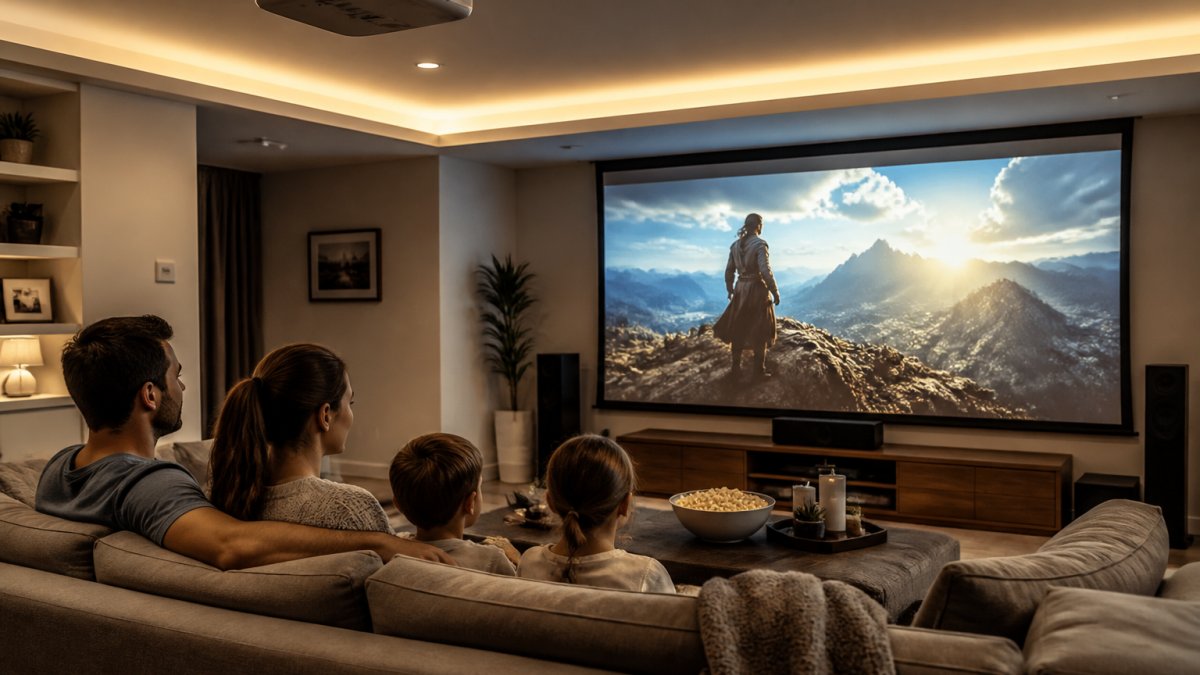
Perceived brightness is about contrast, not raw lumens. When stray light stops reaching the screen, the bright parts stand out more and the picture reads as brighter even though the projector hasn't changed. A corner lamp no longer flattens the picture, and a half-closed blind no longer turns it into a pale rectangle.
Deeper Blacks and Higher Contrast
Black levels are where white screens fail hardest. A white screen reflects ambient light across the whole surface, lifting blacks into gray and killing contrast. An ALR screen's dark base and structured surface keep blacks dark, delivering higher contrast, more perceived depth, and night scenes that finally look like night.
Better Color Accuracy and Vividness
Color reproduction depends on contrast. When blacks are lifted, every color next to them looks muted and chalky. An ALR screen preserves color saturation and vividness in a lit room in a way a white screen cannot: reds stay red, skin tones stay natural, and the image keeps the richness that made you buy a projector.
ALR Screen vs White Screen: What Actually Changes
An ALR screen and a white screen differ in how they handle light direction, which determines which rooms each suits.
A white screen reflects light evenly in all directions with a gain of roughly 1.0 (What Is Screen Gain?).
An ALR screen reflects directionally.
That trade-off is the whole story: you're not buying more light, you're buying better control of where it goes.
| Factor | White Screen | Gray Screen | ALR Screen |
|---|---|---|---|
| Typical gain | ~1.0 | ~0.6-0.8 | ~0.4-0.8, angle-dependent |
| Bright room performance | Washes out | Improves blacks, still floods | Holds contrast |
| Black levels | Lifted by room light | Deeper than white | Deep and stable |
| Viewing angle | Wide | Wide | Narrower, placement-sensitive |
| Projector compatibility | Works with any | Works with any | Needs matched throw type |
| Best for | Dark, dedicated rooms | Dim rooms, budget fix | Multipurpose, lit rooms |
A gray screen sits between the two.
When a Brighter Projector Beats an ALR Screen
A brighter projector is the other common answer, and sometimes it's right. Adding lumens raises the whole image, including blacks, so contrast can stay flat even as brightness climbs.
An ALR screen wins when light is directional and persistent: a window on one side, a ceiling fixture overhead, a corner lamp. No amount of projector brightness fully fixes those conditions, because the screen keeps reflecting the room back at you.
Blackout Curtains and the Cheaper Path
Blackout curtains are the least expensive way to improve any projector image. If you can darken the room fully, a white screen and modest projector will beat an ALR screen on contrast and color.
CAIWEI Halo 300 Ultra-Bright Projector →
If your room is a true blackout theater, buy white. If it has windows, lamps, or a ceiling fan light and you want daytime use, the ALR screen earns its cost every night.
ALR Screen Disadvantages and Trade-Offs to Know Before Buying
ALR screens aren't a free upgrade, and honest advice means naming the trade-offs.
The biggest is viewing angle. Because the surface is directional, the brightest, most accurate image sits in a narrow zone; sit far to the side and brightness drops off.
Placement is second.
Cost is third. ALR screens cost more than white screens of the same size, and the structured surfaces show marks if touched, so installation and cleaning need a light hand.
How to Pick the Best ALR Screen for Bright Rooms
The best ALR screen for bright rooms matches your projector's throw type, your room's light sources, and your seating layout. Get those three right and the screen disappears into the experience; get them wrong and you've spent more for a worse picture than a plain white screen.
Step 1: Diagnose the Light Before You Shop
Walk the room at the time of day you actually watch and note where light comes from and lands.
- Overhead fixtures and ceiling fans. Light arrives from above, the condition ceiling-light-rejecting (CLR) surfaces are built for, and the most common problem in a living room with a central light.
- Windows. Light arrives from the side, often at a low angle in the morning or evening. Side light is harder to reject than overhead because it arrives closer to the projector's own angle.
- Lamps and open doorways. Light arrives from the sides and behind the seating area. Off-axis rejection matters here.
Write down the dominant direction. Overhead means CLR. Sides mean strong off-axis rejection. Both mean a screen combining absorption and deflection.
Step 2: Match the Screen Technology to Your Projector
ALR is a category, not a single product. The optical structures differ, and each supports a specific projector placement.
- Directional ALR (standard-throw). Built for projectors mounted in front of or behind the seating area, throwing across the room. Tuned to accept light from that angle and reject light from above and the sides.
- UST/CLR (ultra-short-throw). Built for projectors inches from the wall, throwing steeply upward. Tuned to reject light from directly overhead, where ceiling fixtures sit relative to a UST setup.
- Lenticular. Uses a ribbed, lens-like structure to redirect light directionally. Common in CLR screens, and the structure produces the strong ceiling-light rejection.
Pairing the wrong technology with the wrong projector is the most common and most expensive mistake.
Step 3: Check Gain, Viewing Angle, and Seating Layout
Gain and viewing angle trade off. Higher gain concentrates the image into a narrower cone, brighter on-axis but dropping off faster to the side. Lower gain spreads the image more evenly across a wider cone.
Measure your seating spread before buying. Seats spanning a wide arc favor a wider viewing cone even if it rejects a little less light; seats clustered near center favor a higher-gain, narrower screen for a punchier image.
Step 4: Plan the Installation
ALR screens are less forgiving than white screens in three ways.
- Orientation. The surface is directional and must be mounted the correct way up. Flipping it defeats the rejection and can produce a hot spot.
- Mounting height and position. The screen must sit where the projector's beam hits it at the intended angle. Small shifts in height or distance change the result more than on a white screen.
- Handling and cleaning. The structured surface shows marks if touched, so follow the manufacturer's cleaning guidance rather than a standard cloth.
Step 5: Verify Before You Commit
- Identify every light source in the room and its angle
- Confirm your projector's throw type before shopping
- Match the screen technology (directional ALR vs. UST/CLR vs. lenticular) to that throw type
What to Expect After Installation
Even a well-matched ALR screen has limits. Viewing angle is narrower than a white screen, so the brightest image sits in a defined zone. Some surfaces show a faint sparkle or texture up close, and some shift color slightly at extreme angles, normal trade-offs of a directional surface, not defects.
Get the pairing right and the room stops fighting your setup.
Pairing an ALR Screen With the Right Projector
A great screen can't rescue a projector that's too dim, and a bright projector can't fix a screen that scatters light everywhere.
Start with enough light output to fill the screen at your desired size, then let the ALR surface protect that image from the room.
For rooms where setup simplicity matters as much as picture quality, the Nova 300 Smart Home Theater Projector pairs native 1080p resolution with 4K support, auto-focus, and keystone correction, plus a 360-degree stand that lets you aim at a wall or ceiling without mounting hardware. If you want more headroom for a room that isn't fully dark, the CAIWEI Halo 300 Ultra-Bright Projector delivers 10,000 lumens with native 1080p, which helps hold the image when some ambient light is present.


Setting up a bright-room theater means solving a light problem most people never name.
Frequently Asked Questions
How does an ambient light rejecting screen work?
An ALR screen uses a specially engineered optical surface that reflects projected light back toward your seating area while absorbing or deflecting light coming from other directions, such as ceiling lights or windows. Because the screen only sends light where viewers actually sit, the projected image stays bright and contrasty even when the room is not fully dark. The exact method varies by screen type, but the goal is the same: reject ambient light, preserve projected light.
What are the disadvantages of ALR screens?
ALR screens have a narrower viewing angle than standard white screens, so off-axis seats may look dimmer. They also cost more and require correct projector placement to work well. Some models are designed specifically for ultra-short-throw projectors and will not perform properly with a long-throw projector. If your room is already light-controlled, a white screen may deliver similar results for less money. Weigh these trade-offs against how much ambient light your room actually has.
Are ALR screens good for rooms with windows?
Yes, ALR screens are designed for rooms where you cannot fully block light. If your media room has windows, skylights, or lamps you want to keep on during movie night, an ALR screen helps maintain image brightness and contrast that a white screen would lose. For the best result, position the screen so the main light sources are not directly across from it, and pair it with a projector that has enough lumens for your room size.
Can you use an ALR screen with any projector?
Not always. Many ALR screens are engineered for specific projector types, especially ultra-short-throw models that sit close to the wall. Using a long-throw projector on a UST-designed ALR screen can cause uneven brightness or a visible hotspot. Before buying, check the screen manufacturer's compatibility notes and match the screen to your projector's throw distance. If you are unsure, a projector with high lumens and a standard white screen may be a simpler starting point.






















