

300-Inch Projector in a Small Room: What Actually Works
Table of Contents
- Can You Actually Use a 300-Inch Projector in a Small Room?
- Understanding Throw Distance and Projector Placement
- Best Projector Screen Size for Small Rooms
- Short-Throw Projectors for Small Rooms: A Practical Solution
- Projector Screen Size and Viewing Distance: Finding Comfort
- Brightness, Image Quality, and Ambient Light in Compact Spaces
- Room Dimensions and Realistic 300-Inch Feasibility
- Recommended Projectors and Setup Tips
- Frequently Asked Questions
Last Updated: October 10, 2026
Can You Actually Use a 300-Inch Projector in a Small Room?
The short answer is yes, but it requires the right projector type and careful planning. A 300 inch projector small room setup is possible with modern short-throw and ultra-short-throw projectors, though "small" and "300 inches" create real constraints you need to understand before buying.
At JoeMo Promo, we work with homeowners who want maximum screen size in limited space. The challenge isn't the projector itself, it's matching throw distance to your room dimensions and ensuring viewing comfort. Most people assume they need a massive space for a 300-inch screen. The reality is more nuanced.
A 300-inch screen measures roughly 13 feet wide by 7.3 feet tall (16:9 aspect ratio). That's genuinely large. But whether it works in your room depends on three factors: how far the projector sits from the wall, how far you sit from the screen, and what type of projector you choose.
Understanding Throw Distance and Projector Placement
Throw distance is how far your projector must sit from the screen to display a specific image size. This is the single most important measurement for fitting a 300-inch screen in a compact space.
Standard projectors need significant distance. A typical projector with a 1.5 throw ratio needs 19.5 feet to project a 300-inch screen (300 inches ÷ 1.5 = 200 feet, then divided by 12 for feet). That's nearly 20 feet. Most living rooms aren't that deep.
This is where throw ratio matters. The throw ratio tells you the relationship between distance and image size. A 1.5:1 ratio means the projector sits 1.5 times the image width away. A 0.4:1 ratio means it sits only 0.4 times the width away, much closer.
How to Calculate Throw Distance for 300 Inches
Here's the math. Take your desired screen width and multiply by the projector's throw ratio.
For a 300-inch screen (roughly 250 inches wide in 16:9 format):
- Standard-throw projector (1.5 ratio): 250 × 1.5 = 375 inches = 31 feet
- Short-throw projector (0.6 ratio): 250 × 0.6 = 150 inches = 12.5 feet
- Ultra-short-throw projector (0.25 ratio): 250 × 0.25 = 62 inches = 5 feet
The difference is dramatic. An ultra-short-throw projector can sit just 5 feet from your wall. A standard projector needs 31 feet, impossible in most homes.
Standard-Throw vs. Short-Throw vs. Ultra-Short-Throw
Standard-throw projectors have a throw ratio between 1.2 and 1.6. They deliver excellent image quality and brightness. The catch: they need serious distance. For a 300-inch screen, you're looking at 25-40 feet minimum. These work in dedicated theater rooms with deep basements or commercial spaces. Not practical for small rooms.
Short-throw projectors have ratios between 0.4 and 0.8. They sit 10-15 feet from the wall for a 300-inch image. Better for smaller spaces, though still not "living room" distances. Image quality is solid, and brightness remains good.
Ultra-short-throw projectors have ratios below 0.4. Some go as low as 0.25. These can sit 5-8 feet from the wall. They're designed for small rooms, apartments, and flexible setups. The Nova 300 Smart Home Theater Projector, for example, uses a 360° rotating stand that lets you mount it on a wall or ceiling just feet from where you want the image.

Ultra-short-throw models have trade-offs. Some sacrifice brightness or need careful lens alignment to avoid image distortion.
Best Projector Screen Size for Small Rooms
Not every small room can handle 300 inches. Let's be practical.
A 300-inch screen is 13 feet wide. Your room needs at least that much horizontal wall space, plus a few feet on either side for the projector and viewer comfort. If your living room is 12 feet wide, a 300-inch screen physically won't fit.
More importantly, viewing distance matters. You shouldn't sit closer than 1.5 times the screen height or farther than 2.5 times the height. For a 300-inch screen (7.3 feet tall), that's a comfortable viewing distance of 11-18 feet from the screen.
If your room is only 12 feet deep, you're sitting too close to a 300-inch screen. You'll see pixels, get neck strain, and lose image quality. A 150-200 inch screen works better in tight spaces.
Here's a quick guide:
| Room Depth | Comfortable 300-Inch Fit? | Better Alternative |
|---|---|---|
| 10-12 feet | No | 100-150 inches |
| 12-15 feet | Marginal | 150-200 inches |
| 15-18 feet | Yes | 200-300 inches |
| 18+ feet | Yes | 300 inches or larger |
This assumes you're sitting 2-3 feet from the back wall. If your seating is closer to the screen, reduce the recommended size.
Short-Throw Projectors for Small Rooms: A Practical Solution
A short-throw or ultra-short-throw projector is your best bet for a 300-inch screen in a small room. The flexibility matters more than you'd think.
With a standard projector, you're locked into a fixed distance. Move the projector 2 feet closer and the image shrinks. Move it 2 feet back and it grows.
Short-throw projectors give you options. The Nova 300 Smart Home Theater Projector's 360° rotating stand lets you aim at a wall, a ceiling, or even a bedsheet in the backyard.
Auto-focus and keystone correction are equally important. Keystone correction fixes the trapezoid distortion that happens when a projector isn't perfectly perpendicular to the screen. In small rooms where mounting angles are tight, this feature prevents image quality loss.
Brightness matters too. A small room with ambient light (windows, overhead fixtures) needs a projector with solid lumens. The CAIWEI Halo 300 Ultra-Bright Projector delivers 10,000 lumens, enough to handle daytime viewing or rooms with some ambient light.

Projector Screen Size and Viewing Distance: Finding Comfort
This is where most people make mistakes. They focus on screen size and ignore viewing distance.
Your eyes have limits. Too close and you see individual pixels. Too far and you lose detail. The industry standard is a viewing distance of 1.5 to 2.5 times the screen height.
For a 300-inch screen (7.3 feet tall):
- Minimum comfortable distance: 11 feet
- Maximum comfortable distance: 18 feet
- Sweet spot: 14-16 feet
If your room is only 12 feet deep and you're sitting 2 feet from the back wall, you're at 10 feet from the screen. That's below the comfortable minimum. You'll notice pixelation, get eye strain, and lose the immersive feeling.
A 180-200 inch screen at 4.5-5 feet tall works better in a 12-foot-deep room. You'd sit 7-12 feet away, right in the comfortable zone.
The math is simple but essential. Measure your seating distance from where the screen will be. Divide by 1.5 to get your maximum screen height. Multiply by 16 and divide by 9 to convert to diagonal inches.
Example: 12-foot seating distance.
Nova 300 Smart Home Theater Projector →
- 12 ÷ 1.5 = 8 feet maximum height
- (8 × 16 ÷ 9) × 1.3 = 185 inches diagonal
A 180-200 inch screen fits. A 300-inch screen doesn't.
Brightness, Image Quality, and Ambient Light in Compact Spaces
Small rooms amplify brightness problems. A dim projector in a 15 × 20 foot dedicated theater room might work fine with blackout curtains.
Lumens measure brightness. Higher lumens punch through ambient light. For small rooms with some ambient light, aim for at least 5,000 lumens. For dark, dedicated spaces, 3,000 lumens suffices.
Native resolution also matters at large sizes. A 1080p projector displaying a 300-inch screen will show softness compared to 4K.
The Nova 300 and CAIWEI Halo 300 both offer native 1080p with 4K support. This means they upscale 4K content smoothly without the expense of true 4K projectors.
Screen material also affects image quality. A matte white screen diffuses light evenly. A gray screen rejects ambient light better but narrows the ideal viewing angle.
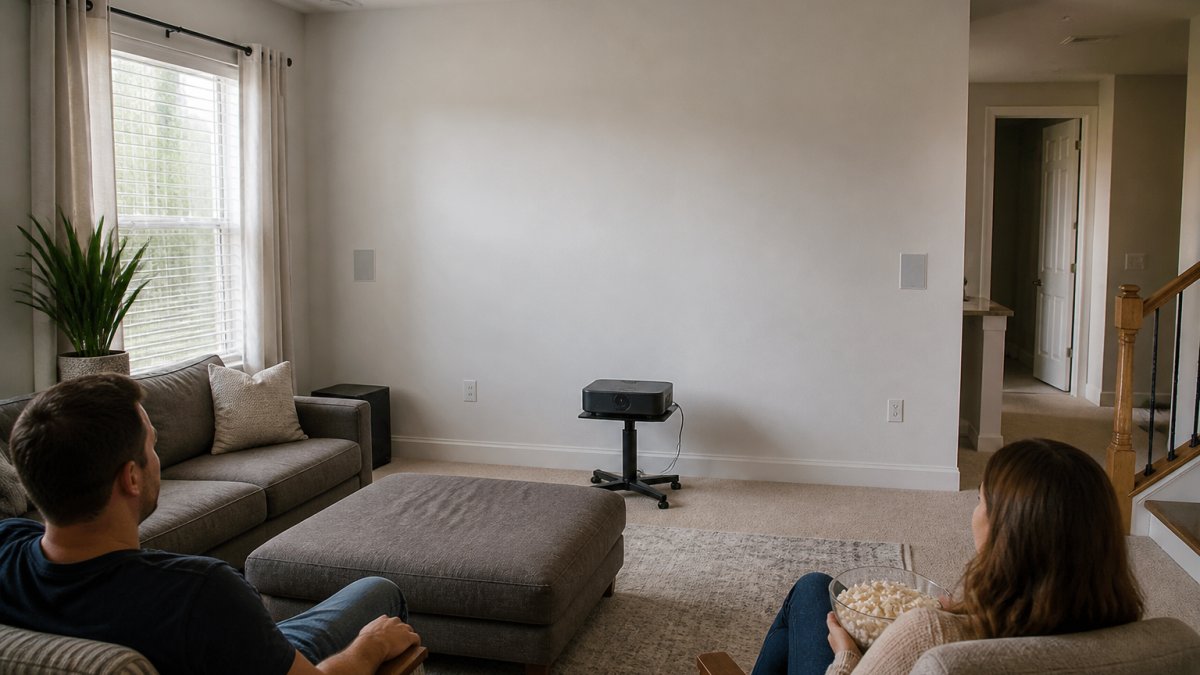
Room Dimensions and Realistic 300-Inch Feasibility
Let's get specific about room size. A 300-inch screen in a small room is feasible only if your room meets certain minimums.
The screen itself needs 13 feet of horizontal wall space (for 16:9 aspect ratio). Add 2 feet on each side for the projector or viewing flexibility.
Depth is trickier. The projector needs throw distance (5-30 feet depending on type). You need seating distance (11-18 feet for 300 inches). These often overlap.
Here's a realistic scenario: an ultra-short-throw projector mounted 5 feet from the wall, seating 14 feet from the wall. Total room depth needed: 19 feet. That's a large room, not a small one.
For truly small rooms (12 × 15 feet), a 300-inch screen forces compromises.
If you're determined to fit 300 inches, an ultra-short-throw projector mounted on the ceiling near the front wall is your best option. This uses vertical space instead of depth, freeing up floor space.
Recommended Projectors and Setup Tips
For a small room attempting a 300-inch screen, here's what works.
Best overall: The Nova 300 Smart Home Theater Projector delivers native 1080p with 4K support, auto-focus, keystone correction, and a 360° rotating stand. At $529.99, it's affordable for the feature set.
Best for brightness: The CAIWEI Halo 300 Ultra-Bright Projector offers 10,000 lumens, native 1080p with 4K support, and built-in Android. At $559.99, the brightness handles ambient light and daylight viewing.
Best for portability: The Wanderlight Portable Smart Projector at $509.99 is compact and WiFi-enabled.

Setup tips:
-
Measure first. Calculate throw distance using your projector's ratio. Don't assume it'll work.
-
Test the viewing distance. Sit where viewers will be. Measure to where the screen goes. Divide by 1.5 to find your maximum comfortable screen size.
-
Consider ceiling mounting. For ultra-short-throw projectors, ceiling mounting near the front wall uses vertical space and keeps the projector out of sightlines.
-
Choose screen material carefully. Gray screens reject ambient light better. Matte white screens work for darker rooms.
-
Account for brightness. If your room has windows or ambient light, bump up lumens. A dim projector in a bright room is worse than a smaller screen.
-
Use keystone correction wisely. It fixes angle problems but can soften edges. Position the projector as perpendicular to the screen as possible first.
-
Plan cable routing. Wireless speakers and streaming reduce clutter, but you'll still need power. Run cables behind walls or through conduit if mounting permanently.
A 300-inch projector in a small room works when you match projector type to space. Ultra-short-throw models with automatic correction make it feasible. But honest measurement matters more than wishful thinking.
At JoeMo Promo, we help you find the right fit. Our handpicked projectors come with flexible 30-day returns, so you can test the setup in your actual space.
Frequently Asked Questions
How much room do you need for a 300-inch projector screen?
A 300-inch screen requires at least 12-15 feet of depth for comfortable viewing and proper throw distance. The screen itself measures roughly 26 feet wide by 15 feet tall in a 16:9 aspect ratio. Beyond depth, you need enough width to fit the screen and enough ceiling height if mounting overhead. Most small rooms (12×15 feet) can accommodate 300 inches only with a short-throw or ultra-short-throw projector placed 3-8 feet from the wall.
Can a short-throw projector create a large image in a small room?
Yes. Short-throw projectors are designed to project large images from short distances, typically 3-8 feet for a 300-inch screen. Ultra-short-throw models can achieve 300 inches from just 2-4 feet away. This makes them ideal for small rooms where standard-throw projectors would require 20+ feet of depth. They solve the small-room problem by allowing you to place the projector close to the wall or screen while still delivering a massive image.
How far should you sit from a 300-inch projector screen?
Viewing comfort depends on screen size and resolution. For a 300-inch screen with 1080p resolution, sit 15-20 feet away to avoid seeing individual pixels and maintain a comfortable field of view. If your room is smaller than 15 feet deep, consider a smaller screen size or higher resolution (4K) to maintain image quality and comfort.
What brightness do I need for a 300-inch projector in a small room with ambient light?
For a dedicated dark theater room, 2,000-3,000 lumens is sufficient for a 300-inch screen. In rooms with windows or ambient light, aim for 5,000+ lumens to maintain image quality and contrast. The CAIWEI Halo 300 Ultra-Bright Projector delivers 10,000 lumens, making it effective even with some ambient light. Higher brightness prevents image washout and ensures vibrant colors and deep blacks, especially important for immersive movie watching.






















