

Home Cinema Room Design Ideas 2026
Table of Contents
- Dedicated Home Cinema Room vs. Media Room: Choosing Your Setup
- Best Home Theater Projectors 2026: From Budget Picks to 4K Laser
- Home Theater Seating Layout Ideas for Every Room Size
- Small Room Home Theater Design: Making Every Inch Count
- DIY Home Cinema Soundproofing Tips That Actually Work
- Smart Lighting, Home Automation, and Surround Sound Configuration
- Home Cinema Room Design Ideas for Gaming, Accessibility, and Sustainability
- Post-Installation Calibration and Ongoing Maintenance
Last Updated: August 19, 2026
Designing a home cinema room in 2026 means making decisions that didn't exist five years ago: laser projectors with automatic calibration, Dolby Atmos systems that fit in a single wireless package, and smart lighting that syncs with whatever is on screen. At JoeMo Promo, we've helped thousands of homeowners cut through that complexity and build spaces they actually use. This guide covers every layer of the process, from choosing between a dedicated theater and a flex media room, to calibrating your system after installation.
A home cinema room is a dedicated space optimized specifically for film and audio playback, with controlled acoustics, light management, and seating arranged around a single screen axis. That definition matters because it separates a true cinema room from a media room, which is a more flexible, multi-use space.
Dedicated Home Cinema Room vs. Media Room: Choosing Your Setup
The biggest mistake most people make is treating this as a purely aesthetic choice. It's a functional one that determines your acoustic treatment strategy, your lighting approach, and how much flexibility you're willing to give up.
A dedicated home cinema room is optimized for immersive playback: blackout curtains, acoustic panels, fixed seating rows, and surround sound configuration without foot traffic. The tradeoff is inflexibility.
A media room is multi-purpose, handling movie nights, gaming, sports, and casual TV. Furniture is more open, lighting more varied, and acoustic treatment lighter. Many families find this more practical.
| Feature | Dedicated Cinema Room | Media Room / Flex Space |
|---|---|---|
| Acoustic treatment | Full panels, bass traps, isolation | Partial panels, rugs, soft furnishings |
| Lighting control | Full blackout, bias lighting only | Dimmable ambient + task lighting |
| Seating | Fixed rows, tiered optional | Sectional, modular, reconfigurable |
| Screen setup | Fixed projector + screen | TV or projector, flexible |
| Best for | Serious enthusiasts, large rooms | Families, multi-use households |
Most homeowners benefit more from a well-designed media room than a compromised dedicated theater.
Best Home Theater Projectors 2026: From Budget Picks to 4K Laser
Laser light sources are now the standard worth targeting. They maintain consistent brightness across their lifespan and start up instantly, unlike lamp-based projectors that require bulb replacements.
For a dedicated home cinema room, native 4K resolution with HDR support is the baseline. The Sony VPL-XW5000ES uses native 4K SXRD panels and a laser light source to produce deep contrast and lifelike detail.
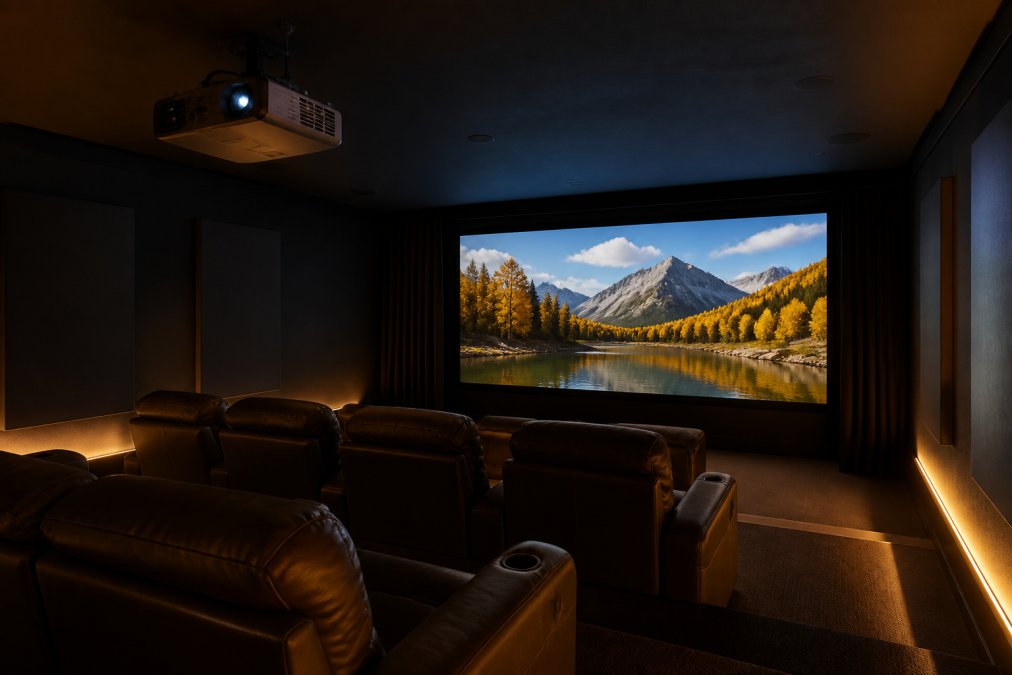
JoeMo Promo's projector lineup includes rotating stands that allow wall or ceiling projection, plus automatic focus and keystone correction, so you get a perfect picture without tinkering with settings every time you sit down.
Screen Size, Viewing Distance, and Projector Placement
Screen size and viewing distance are linked by a simple ratio. For a 4K projector, a viewing distance of roughly 1.5 times the screen height produces a sharp, immersive image. For a room that is 12 feet deep, a screen in the 100-120 inch diagonal range is typically the practical ceiling.
According to CEDIA's home theater design guidelines, throw ratio (the relationship between projector distance and image width) is the first specification to check before purchasing any projector.
Home Theater Seating Layout Ideas for Every Room Size
Seating layout determines whether your home cinema room feels like a private theater or an awkward furniture arrangement. Start with the screen axis and work backward, placing the primary seating row at the optimal viewing distance first.
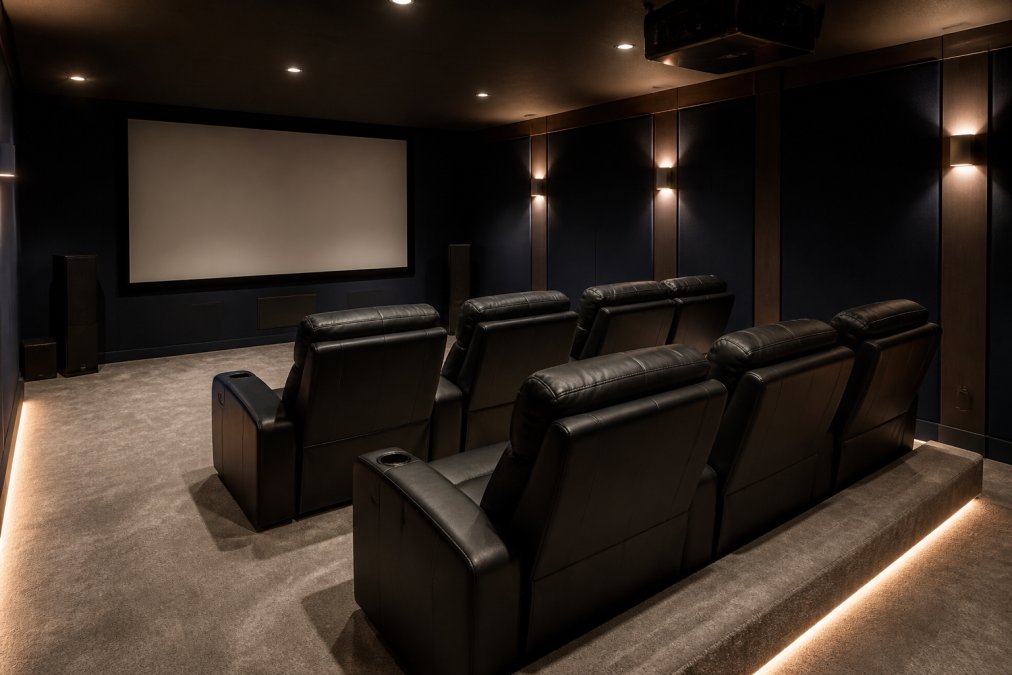
For most rooms between 15 and 20 feet long, a single row of three to four recliners centered on the screen axis is the highest-performing layout. Wider rooms can accommodate a second seat on each side without compromising sightlines.
Tiered Seating vs. Single-Row Arrangements
Tiered seating is the right choice when you have more than one row and want unobstructed sightlines from the back. A platform raise of 12-18 inches for the second row is typically sufficient.
Single-row arrangements are underrated. A single row of four or five quality recliners, properly positioned, delivers a better experience than two rows of mediocre seating.
For seating quality, measure your room with the chairs in the reclined position.
Small Room Home Theater Design: Making Every Inch Count
A projector in a small room, configured correctly, produces an image no television can match at the same price point.
The key variables are throw distance, ambient light control, and acoustic management. Ultra-short-throw projectors solve the throw distance problem. Blackout curtains handle ambient light. Acoustic panels on the two side walls and rear wall address flutter echo between parallel hard surfaces.
Small rooms have an acoustic advantage: bass frequencies build up in corners, which can supplement a subwoofer's output if managed correctly. Place your subwoofer in a corner, run a room calibration, and you'll often get more low-end impact than expected.
Garage Conversions and Multi-Purpose Flex Spaces
Garage conversions are the most common home cinema room project and frequently underestimated. Insulation, HVAC ventilation, electrical upgrades, and acoustic treatment can represent a significant portion of the total budget before equipment is purchased.
The practical sequence: insulate walls and ceiling, add dedicated HVAC ventilation (projectors and amplifiers generate heat), handle electrical with enough circuits for the equipment load, then address acoustics before installing audio equipment.
Multi-purpose flex spaces work well when furniture and equipment are chosen for flexibility. Wall-mounted or stand-mounted projectors, modular seating, and lighting scenes that shift between "movie mode" and "everyday mode" make a flex space function across multiple uses.
DIY Home Cinema Soundproofing Tips That Actually Work
Soundproofing and acoustic treatment are two different things.
Soundproofing reduces sound transmission between rooms. It requires mass, decoupling, and sealing. True soundproofing is a construction project.
Acoustic treatment improves sound quality inside the room. It reduces reflections, controls bass buildup, and makes the surround sound system perform closer to its potential. This is what most homeowners need, and it's achievable as a DIY project.
According to Acoustical Society of America's room acoustics resources, the primary acoustic problems are early reflections from side walls, flutter echo between parallel surfaces, and bass mode buildup in corners.
Acoustic Panels, Bass Traps, and Sound Isolation
Acoustic panels absorb mid and high frequencies. They belong on the first reflection points: side walls at the listening position, rear wall behind seating, and optionally the ceiling. Acoustimac acoustic panels are a practical option, available in various fabric finishes.
Bass traps absorb low frequencies and belong in corners, floor-to-ceiling. This is the step most DIY builds skip, and it's why many home theaters sound muddy at high volumes.
For homeowners who want to build their own treatment, the Acoustic Fields DIY build plans package includes detailed instructions for panels, bass absorbers, and diffusers.
Smart Lighting, Home Automation, and Surround Sound Configuration
Smart lighting has changed most dramatically in the past three years, moving from simple dimming to full scene automation that responds to on-screen content.
Philips Hue's smart lighting system can sync with on-screen content to extend colors and mood into the room's periphery. This bias lighting effect reduces eye strain during long viewing sessions and increases perceived immersion.
For whole-home integration, Lutron HomeWorks QS handles lighting, shading, and climate control from a single centralized system. It supports "Movie Night" scenes that dim lights, close motorized shades, and set the thermostat simultaneously. It requires professional installation, making it better for new builds than retrofits.
A 5.1 system (five speakers, one subwoofer) is the minimum for genuine surround sound. A 5.1.4 configuration adds four height speakers for Dolby Atmos overhead audio. The Klipsch Reference Cinema System 5.1.4 with Dolby Atmos is a complete package with wireless subwoofer.
Subwoofer placement matters more than most people realize. The corner is the starting point, but the optimal position varies by room. Run room calibration after placement, then move it and run calibration again. The position that produces the flattest bass response wins.
Home Cinema Room Design Ideas for Gaming, Accessibility, and Sustainability
Gaming-specific setups, accessible design, and eco-conscious material choices are worth planning for from the start.
Gaming-Specific Setup: Refresh Rate, Input Lag, and Immersive Audio
Gaming requires different specifications than film playback. Critical metrics are input lag (delay between controller input and on-screen response), refresh rate (frames per second), and audio latency.
Most cinema-optimized projectors have input lag above 50 milliseconds, noticeable during fast-paced gaming. Gaming-specific projector modes reduce input lag to under 20 milliseconds.
For immersive audio in gaming, Dolby Atmos and DTS:X support in the AV receiver matters as much as speaker configuration. Many current games include spatial audio mixes that use height channels for three-dimensional audio.
High refresh rate (120Hz or higher at 4K resolution) and low input lag require HDMI 2.1 connections throughout the signal chain.
Accessible Theater Design and Eco-Friendly Choices
Accessible home theater design includes wide aisles between seating rows (at least 36 inches for wheelchair access), adjustable seating heights, and lighting that remains on at low levels during playback, as recommended in ADA accessibility guidelines for residential spaces.
Eco-friendly choices center on materials and energy consumption. Look for seating upholstered in recycled or sustainably sourced fabrics, acoustic panels made from recycled denim or natural wool, and low-VOC paint finishes.
Projectors with laser light sources consume less power over their lifespan than lamp-based models. Smart power strips that cut standby power and smart lighting that turns off automatically reduce the room's ongoing energy draw.
Post-Installation Calibration and Ongoing Maintenance
Installation is not the finish line. A home cinema room that isn't calibrated after installation will underperform its potential.
Projector calibration involves setting the correct color temperature (typically D65 for film content), adjusting gamma for the room's ambient light level, and confirming image geometry across the full screen. Many current projectors include automatic calibration tools.
Audio calibration is equally important. Most AV receivers include room correction software (Audyssey, Dirac Live, or proprietary equivalents) that measures acoustic response at the listening position and applies corrections to each channel. Run this after all acoustic treatment is installed and furniture is in its final position.
For ongoing maintenance, projector filters need cleaning every few months in dusty environments. Speaker grilles accumulate dust that can affect high-frequency output. HDMI connections occasionally need reseating if signal dropouts appear.
According to Consumer Electronics Association's home theater installation standards, proper room calibration can produce measurable improvements in both audio and video performance that exceed gains from upgrading individual components.
| Calibration Task | Frequency | Tools Needed |
|---|---|---|
| Projector color/gamma | At installation + annually | Calibration software or professional |
| Audio room correction | At installation + after room changes | AV receiver's built-in system |
| Speaker level check | Every 6 months | SPL meter or receiver's test tones |
| Filter cleaning | Every 3 months (dusty rooms) | Compressed air |
| HDMI connection check | When signal issues appear | Visual inspection |
The home cinema room design process rewards patience. Get the room right before buying the most expensive equipment, calibrate everything after installation, and maintain the system on a basic schedule.
Building a home cinema room involves more moving parts than most homeowners anticipate, from acoustic treatment and projector placement to surround sound configuration and ongoing calibration. JoeMo Promo simplifies the equipment side of that equation with a curated selection of projectors featuring automatic focus and keystone correction, wireless surround sound systems, and comfortable theater seating, all backed by free shipping on most orders within the Continental U.S. and a 30-day return policy. Shop the Collection and start building the home cinema room your space deserves.
Frequently Asked Questions
What is the ideal room size for a home cinema room?
A dedicated home cinema room works best with at least 12 feet of depth and 15 feet of width, giving you enough distance from the screen and room for proper speaker placement. That said, smaller rooms can still deliver a strong experience. A short-throw projector and a 5.1 surround sound system can fit comfortably in a 10-by-12-foot space. The key is matching your equipment to the room dimensions rather than forcing full-scale gear into a tight area.
Can I get a good 300-inch projection in a small room?
A true 300-inch image requires significant throw distance, typically 20 feet or more with a standard projector. In a room only 10 to 12 feet deep, you would need an ultra-short-throw projector, which is placed just inches from the wall or screen. These models sacrifice some brightness at extreme sizes, so a 100-to-150-inch image is more realistic for small spaces while still delivering an immersive cinematic feel well beyond any flat-panel TV.
What color should I paint a home cinema room?
Dark, matte colors are the standard choice for dedicated cinema rooms because they absorb ambient light and prevent reflections from washing out the projected image. Deep charcoal, navy, or near-black tones on walls and ceilings work well. If you want a media room that doubles as a living space, a dark accent wall behind the screen combined with lighter side walls keeps the room versatile without hurting visual fidelity during movie nights.
What are the most common home theater mistakes to avoid in 2026?
Skipping acoustic treatment is the most common error: even a great surround sound system sounds muddy in an untreated room. Other frequent mistakes include placing the subwoofer in a corner without testing for bass buildup, choosing seating that blocks the surround speakers, ignoring cable management until after installation, and setting screen size without checking the optimal viewing distance first. Planning acoustics, speaker positions, and seating layout together before buying equipment saves significant rework later.
This article was written using GrandRanker






















